Improving your website speed isn’t just about technical tweaks. It’s about strategically optimizing your on-page assets, leveraging smart caching, and choosing the right hosting foundation. Get these right, and you don’t just shorten load times—you directly boost user engagement, build trust, and drive sales.
Why Website Speed Is a Critical Growth Lever
It’s easy to dismiss website speed as an IT problem. That’s a costly mistake. Page speed is a core business metric with a direct, measurable impact on your revenue. Every millisecond you shave off your load time is a direct investment in user trust and a tangible step towards higher conversions.
Put yourself in your customer’s shoes. The moment they land on your site, they form an impression. A slow, clunky experience creates immediate friction. It subtly communicates that your business might be unreliable or unprofessional, often causing them to leave before you’ve even had a chance to present your value.
The Financial Cost of a Slow Website
The connection between a snappy website and a healthy bottom line isn’t a theory; it’s a proven fact. A 2022 study revealed some staggering figures. For B2B websites, a page that loads in one second converts three times higher than one that takes five seconds. In the e-commerce world, B2C sites loading in one second achieve 2.5 times more conversions than their five-second counterparts.
Today’s user simply will not wait. A few seconds of delay is all it takes to lose a customer to a faster competitor.
A fast website is no longer a competitive advantage; it’s the baseline expectation. Treating performance as an afterthought is the same as leaving money on the table for your competition to grab.
The following table illustrates just how much a few seconds can cost your business, whether you’re selling to consumers or other companies.
Impact of Load Time on Conversion Rates
| Load Time (Seconds) | B2C Conversion Rate Lift | B2B Conversion Rate Lift |
|---|---|---|
| 1 Second | Baseline (Highest) | Baseline (Highest) |
| 2 Seconds | -12% | -15% |
| 3 Seconds | -29% | -38% |
| 4 Seconds | -45% | -55% |
| 5 Seconds | -60% | -67% |
The drop-off is severe. After just three seconds, you could be forfeiting over a third of your potential B2B conversions. This data proves that speed isn’t a luxury; it’s a financial imperative.
Speed as a Pillar of User Trust and SEO
Beyond the immediate transaction, a fast website is foundational for building lasting customer relationships and achieving dominant search rankings. Google has made this explicit by incorporating Core Web Vitals—key metrics for loading, interactivity, and visual stability—directly into its ranking algorithm.
A faster, more responsive site delivers concrete benefits that search engines reward:
- Lower Bounce Rates: Visitors are far less likely to click the “back” button when your page appears almost instantly.
- Longer Sessions: A smooth, frictionless experience encourages users to explore more pages and engage more deeply with your content.
- Stronger Brand Perception: Speed signals efficiency, professionalism, and respect for your customer’s time, strengthening their trust in your brand.
Ultimately, focusing on performance is one of the most powerful conversion rate optimization tips you can implement. It enhances every other marketing effort by ensuring the user’s journey is seamless from the very first click.
Conducting a Practical Website Speed Audit
Before you can fix what’s slow, you have to find it. A proper speed audit isn’t about plugging your URL into a tool and hoping for the best; it’s a diagnostic process to pinpoint the exact culprits causing delays. This step is the foundation of any effective optimization strategy, ensuring you invest your effort where it will deliver the biggest returns.
Skipping this step is like navigating without a map—you’ll waste time optimizing minor issues while the real performance hogs go unnoticed. A thorough audit provides a clear, data-driven roadmap for improvement.
Understanding Core Performance Metrics
To conduct a meaningful audit, you need to understand the language of web performance. A few key metrics provide a comprehensive view of the user experience, moving beyond a simple “load time” number. Think of these as your website’s vital signs.
The most important ones to track are:
- Time to First Byte (TTFB): This measures how quickly your server responds to a request. A slow TTFB is often a red flag for poor hosting, a misconfigured server, or inefficient backend processes.
- Largest Contentful Paint (LCP): LCP marks the point when the largest visual element (like a hero image or a block of text) becomes visible. This is a crucial user-centric metric because it’s when a visitor perceives that the main content has arrived. For a deep dive, check out our guide on Core Web Vitals optimization.
- First Contentful Paint (FCP): This clocks the time until the very first piece of content appears on the screen. It’s the initial signal to a user that the page is alive and loading, not broken.
Recent data provides solid benchmarks. In the U.S., the 75th percentile of website visits shows an LCP of around 1.9 seconds on mobile and 1.7 seconds on desktop. Meanwhile, server response times (TTFB) average about 0.8 seconds on mobile, indicating there’s often significant room for improvement, especially for mobile users.
Using Tools to Pinpoint Bottlenecks
Several excellent tools can help you diagnose these metrics and uncover the root causes of poor performance. A perfect starting point is Google’s PageSpeed Insights, which offers both lab data (a controlled test) and field data (from real users) to measure your site against Core Web Vitals.
The report translates complex data into clear, actionable advice, highlighting specific opportunities like removing unused code or serving images in next-gen formats.
Another indispensable tool is GTmetrix, which provides a “waterfall chart.” This chart visually breaks down every single file your page requests, showing the HTML, CSS, images, and third-party scripts in the order they load.
The waterfall chart is your most powerful diagnostic tool. It shows you exactly which files are loading, in what sequence, and how long each takes. The heaviest and slowest parts of your page will be immediately obvious.
Analyzing a waterfall chart helps you spot common culprits:
- A single, massive image file taking seconds to download.
- A long queue of external scripts from marketing tools, creating a request jam.
- A slow server response that delays the loading of all other assets.
Once you’ve run these tests, you’ll have a prioritized checklist. This transforms the vague goal of “making the site faster” into a concrete, actionable plan.
Fine-Tuning On-Page Assets Without Sacrificing Quality
After diagnosing your website’s performance bottlenecks, the most impactful next step is to optimize the assets on the page itself. In our experience, oversized images, videos, and bloated code files are responsible for the majority of a page’s total weight. Targeting these directly almost always delivers the most dramatic improvements in load time.
The challenge is to reduce asset size without compromising the visual quality or functionality your users expect. Fortunately, modern techniques allow us to build a leaner, faster website while preserving a premium user experience. It’s all about working smarter with the files that compose your pages.
Taming Your Images with Modern Formats
Images are often the single heaviest element on a webpage. The Web Almanac reports that images can contribute over 1,000 KB to a desktop page’s total weight. This makes image optimization a non-negotiable task for anyone serious about performance.
Your first move should be to adopt next-generation image formats that offer superior compression without a noticeable drop in quality.
- WebP: Developed by Google, WebP files are typically 25-34% smaller than equivalent JPEGs. It supports both high-quality compression and transparency, making it an excellent all-in-one replacement for both JPEGs and PNGs.
- AVIF: This even newer format can reduce file sizes by 50% or more compared to JPEG, often with better visual fidelity. Browser support is rapidly expanding, making it a powerful choice for businesses aiming to stay ahead of the curve.
For any business that relies on strong visuals—like an e-commerce store with detailed product photos or a designer’s portfolio—switching to these formats is a game-changer. You can dive deeper with our detailed guide on how to optimize website images.
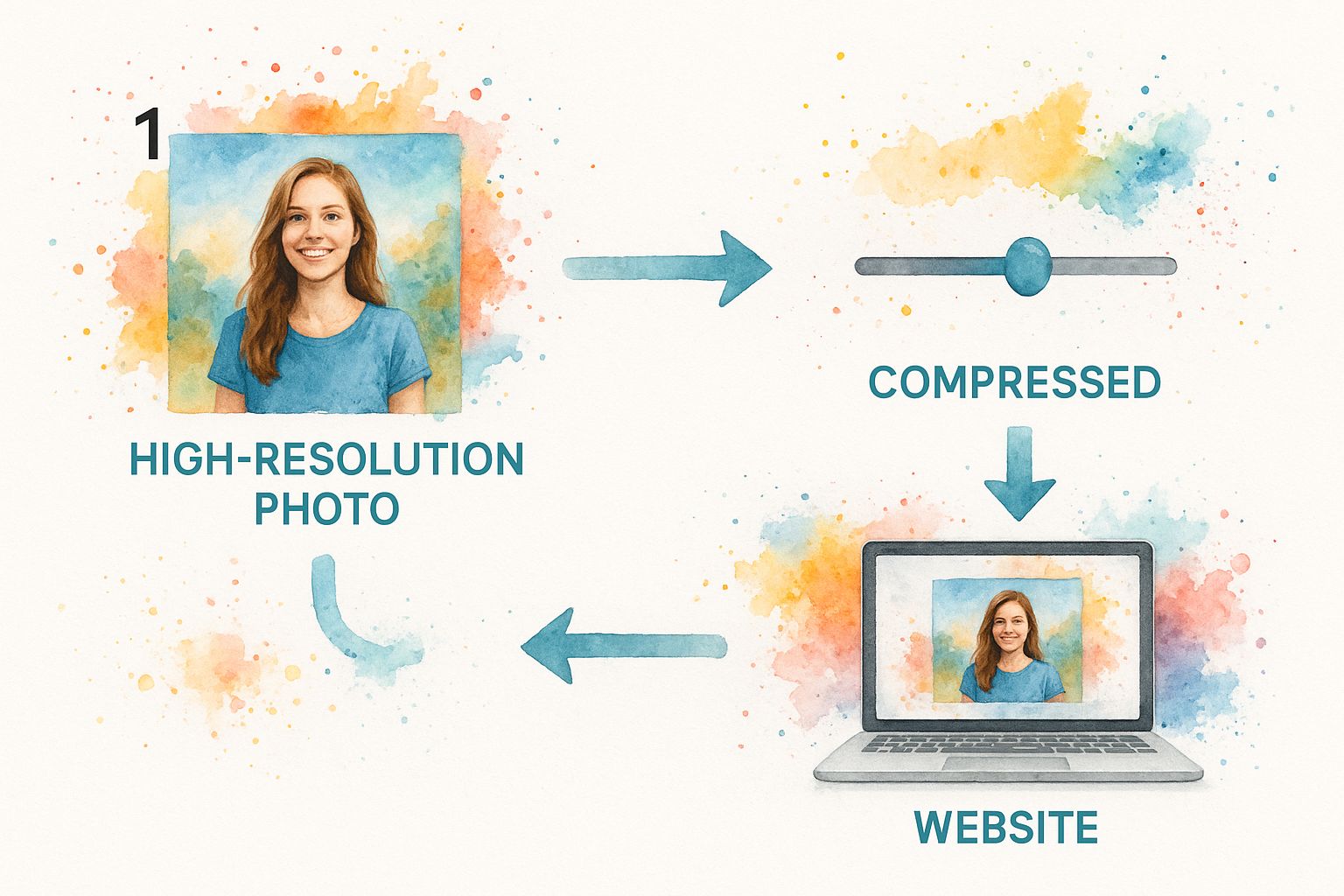
A common myth is that image optimization means making pictures look blurry or pixelated. With modern tools and formats, you can shrink file sizes dramatically while the visual change is imperceptible to the human eye.
Implementing Smart Loading Strategies
Beyond just shrinking files, you need to control how and when they load. Does a user need to download every single image on a long article the moment they arrive? Absolutely not. This is where lazy loading comes in.
Lazy loading is a brilliant technique that defers the loading of off-screen images until a user scrolls down to them. This makes the initial page load feel incredibly fast because the browser only fetches what’s immediately visible. It’s highly effective for:
- Long-form blog posts with multiple images.
- E-commerce category pages with dozens of products.
- Photo galleries and portfolio sections.
Implementing lazy loading is surprisingly simple. Most modern browsers support it natively—just add the loading="lazy" attribute to your <img> tags. For WordPress users, many performance plugins enable this with a single click, making it one of the easiest high-impact optimizations available.
Trimming the Fat From Your Code
While images get a lot of attention, your site’s CSS and JavaScript can also become bloated and slow everything down. Every unnecessary character, comment, and space adds to the file size that a user’s browser must download and process.
This is where minification is essential. Minification is the process of automatically stripping out all non-essential characters from your code files without changing their functionality. This includes removing:
- Whitespace (spaces, tabs, newlines)
- Code comments
- Unnecessary delimiters
The result is a much smaller, more compact file that downloads and parses faster. A developer writes code for human readability, but a browser only cares about efficiency.
For example, this human-readable CSS:
/* Main button style */
.button-primary {
background-color: #007bff;
color: #ffffff;
padding: 10px 20px;
}
Becomes this single, compressed line after minification:
.button-primary{background-color:#007bff;color:#fff;padding:10px 20px}
The savings on one element might seem small, but when applied across thousands of lines of code, the impact is substantial. Most caching and performance plugins for platforms like WordPress can handle minification automatically, making it a simple yet powerful way to speed up your First Contentful Paint (FCP) time.
Using Caching and CDNs for Instant Global Delivery
Even with perfectly optimized on-page assets, your server’s physical location creates a natural speed limit. Every request has to travel from a user’s browser to your server and back again. For a global audience, that physical distance can add precious seconds of delay. This is where caching and Content Delivery Networks (CDNs) come in, effectively shrinking the internet for your users.
Let’s break it down. The first time someone visits your site, their browser has to download everything from scratch. Caching is a way of telling their browser to save some of these files locally. When they return, their browser can load those saved files directly from their own device instead of requesting them from your server all over again.
This simple technique creates a near-instant loading experience for repeat visitors, rewarding their loyalty with exceptional performance.
Demystifying Browser Caching
Browser caching works by storing your site’s static files—like your logo, stylesheets, and fonts—in a temporary folder on the user’s computer. The next time they visit, their browser checks this local cache first. If the files are there and haven’t expired, they load directly from the device, a process that is orders of magnitude faster than re-downloading them from a server thousands of miles away.
Setting this up is often as simple as configuring a caching plugin on WordPress or adding a few lines of code to your server’s .htaccess file. The key is to set expiration rules for different file types.
- Practical Example: For your company logo, which rarely changes, you can set a long cache duration of one year. For your main CSS file, which might be updated during a site redesign, a shorter duration of one month is a safer bet.
This small tweak dramatically improves key performance metrics for returning visitors and makes your entire site feel more responsive.
By intelligently storing assets on a user’s device, you transform their second visit from a request into a recall. This not only makes your site feel incredibly fast but also reduces the load on your server and saves bandwidth.
The Global Reach of a Content Delivery Network
While browser caching is a fantastic solution for repeat visitors, a Content Delivery Network (CDN) solves a different problem: the physical distance between your server and a first-time user. If your server is in Dallas, a visitor from Tokyo must wait for data to travel halfway around the world. A CDN closes that gap.
A CDN is a globally distributed network of servers that stores copies (a cache) of your website’s static assets. When a user from anywhere in the world visits your site, the CDN automatically serves those files from the server geographically closest to them.
So, your visitor in Tokyo gets your website’s files from a server in Japan, not Texas. This reduction in physical distance, known as latency, has a massive impact on loading speed. Industry data consistently shows that a CDN alone can boost site loading speed by as much as 30%. You can explore detailed page load time statistics to see just how significant these gains are across different industries.
Getting a CDN up and running is more straightforward than ever. Services like Cloudflare offer powerful free plans that are surprisingly easy to integrate. For most websites, it’s one of the single most effective steps you can take to accelerate your site for a worldwide audience.
Advanced Strategies for Peak Website Performance

You’ve optimized your images, minified your code, and implemented a CDN. What’s next? Now we move beyond the basics to refine the technical core of your website: the server, the database, and the way browsers render your content.
These advanced adjustments are what separate a fast website from a truly elite one. By fine-tuning these deeper components, you can shave off those critical last milliseconds and deliver an experience that feels instantaneous.
Bolster Your Foundation with Superior Hosting
Your web host is the bedrock of your site’s performance. You can have the most optimized code in the world, but it won’t matter if it’s running on a slow, overburdened server. A cheap shared hosting plan might save a few dollars, but it almost always leads to a poor Time to First Byte (TTFB), creating a performance bottleneck before your page even begins to load.
If your server is the first link in the performance chain, a slow response makes everything else wait.
For any serious business, upgrading from shared hosting is a critical investment. Consider these tiers:
- Virtual Private Server (VPS) Hosting: A great middle ground, giving you a dedicated slice of server resources so another site’s traffic spike won’t affect yours.
- Managed WordPress Hosting: For WordPress sites, specialized hosts like Kinsta or WP Engine are game-changers. They build server-level caching and other performance optimizations directly into their platforms.
- Dedicated Server: For high-traffic, resource-intensive websites, having an entire server to yourself offers maximum control and the highest possible performance ceiling.
Think of your hosting plan as a direct investment in your user experience. It dictates how quickly and reliably you can serve your content to every visitor.
Defer Non-Essential JavaScript Execution
JavaScript powers your site’s interactive features, but it’s often a performance killer. When a browser encounters a script tag, it must pause page rendering, download the file, and execute the code. If you have several large scripts in your page’s header, your users are stuck staring at a blank screen.
The solution is to defer the loading of non-essential JavaScript. This simple command tells the browser to continue building the visible parts of the page first and handle the scripts afterward.
By deferring scripts for features like chatbots, social media widgets, or secondary analytics tools, you allow your core content to appear instantly. The interactive bells and whistles can load in the background without holding up the user experience.
This technique is a fantastic way to improve your Largest Contentful Paint (LCP) score, as the main content is no longer blocked by scripts. Adding the defer attribute to your <script> tags is a small change with a massive impact on perceived speed.
Tame Third-Party Scripts
Every third-party script you add—for analytics, ads, live chat, or social feeds—is an external dependency. This means your website’s performance is now tied to someone else’s server. If their server is slow, your site becomes slow. It’s that simple.
While many of these tools are valuable, it’s crucial to audit them regularly. Do you really need three different analytics platforms? Is that social media feed widget essential? Each one adds a performance liability.
Actionable Insight: Conduct a quarterly audit of all third-party scripts. For each one, ask: “Does the value this tool provides outweigh the performance cost?” If the answer is no, remove it. For a deeper dive into making performance a core part of your development process, this detailed guide on performance engineering is an excellent resource.
Common Questions About Improving Website Speed
When you start digging into website performance, a few key questions always come up. Getting clear, practical answers is the first step toward making smart decisions and focusing your energy where it matters most.
Here are the answers to the most common queries we hear.
How Much Does Website Speed Truly Affect SEO?
The link between a fast website and strong SEO is undeniable, and it works in two key ways. First, there’s the direct impact: Google has officially confirmed that its Core Web Vitals are a ranking signal. A sluggish site is at an immediate disadvantage.
But the indirect effects are even more powerful. A fast, seamless website creates a superior user experience, which generates positive engagement signals that Google loves.
Consider this cause-and-effect chain:
- Fast Load Time -> Lower Bounce Rates: Visitors who don’t have to wait are far more likely to stay on your site instead of returning to the search results.
- Smooth Navigation -> Increased Dwell Time: When pages load quickly, users are encouraged to explore more content, increasing the time they spend on your site.
- Frictionless Experience -> Higher Engagement: A responsive site makes it easy for users to take action—like buying a product or filling out a form—signaling to Google that your site is valuable and relevant.
Over time, these positive user behaviors tell search engines that your site is a high-quality result, which can significantly boost your rankings.
What Is a Realistic Page Load Time to Aim For?
While aiming for a sub-second load time is ambitious, a more practical and impactful goal is to pass Google’s Core Web Vitals assessment. Specifically, you should aim for a Largest Contentful Paint (LCP) of 2.5 seconds or less for at least 75% of your page loads.
The real goal isn’t just about chasing a number. It’s about ensuring the user never feels like they’re waiting. Your site should feel fast and fluid, regardless of their device or network.
Sometimes, a user’s slow connection is the real culprit. Understanding the causes of common internet speed issues can help differentiate between site performance and external factors. By focusing on the user’s perception of speed, you ensure your optimization efforts lead to real-world results.
Can I Make My Website Faster Without Technical Skills?
Absolutely. While advanced optimization often requires a developer, some of the most powerful speed improvements don’t involve touching a single line of code. Anyone can make a huge difference by focusing on these high-impact fundamentals.
Here are four actionable changes you can make today:
- Choose Quality Hosting: Your web host is the engine of your site. Upgrading from a cheap shared server to a quality managed host can provide an immediate and dramatic speed boost.
- Use a Caching Plugin: If you use WordPress, a good caching plugin is non-negotiable. It automates complex tasks to serve pages to repeat visitors almost instantly.
- Compress Images Before Uploading: This is the lowest-hanging fruit. Use a simple online tool to shrink your image file sizes. It’s easy, free, and incredibly effective at reducing page weight.
- Be Ruthless with Plugins and Scripts: Every plugin, widget, and third-party script adds bloat. Regularly review everything installed on your site and remove anything that isn’t absolutely essential to your business goals.
Mastering these basics will put you far ahead of the competition, no coding experience required.
At Galant Studios, we transform technical performance into business growth. Our expert team specializes in comprehensive website optimization, ensuring your site is not only fast and responsive but also perfectly tuned to rank higher and convert more visitors. Ready to unlock your website’s full potential? Get in touch with us today to see how we can help you dominate your market.