Optimizing for voice search is all about shifting your mindset. You need to adapt your website’s content and technical setup to answer the kinds of conversational questions people ask their phones and smart speakers every day. This means focusing on natural language, going after long-tail keywords, and structuring your site to give search engines quick, direct answers.
Tip: Start by running a site search for question marks to identify existing Q&A content you can expand. For an overview of how voice search works, see Wikipedia’s article on Voice search.
Why Voice Search Is Your Next Big SEO Challenge
The way people search for information has fundamentally changed. Gone are the days of just typing a few keywords into a search bar. Now, your customers are asking full questions out loud while they’re driving, cooking, or walking the dog. This move from typing to talking requires a fresh look at SEO—one that embraces conversational language over traditional, choppy keywords.
And this isn’t some passing fad; it’s a massive shift in user behavior. By 2025, the number of voice assistant users in the U.S. is projected to reach a staggering 162.7 million. What’s really telling is where these searches are happening. Smartphones are the go-to device, making up 56% of all voice search usage, which hammers home just how critical mobile optimization is. If your site isn’t mobile-friendly, you’re already behind.
The Pillars of Voice Success
To really nail voice search, you have to think about how you’re presenting information. Your content needs to be structured to deliver an immediate, clear, and relevant answer that a voice assistant can easily grab and read aloud to the user. This strategy really boils down to a few core ideas.
Mastering Conversational Queries: Think about how you talk versus how you type. A typed search might be “best pizza NYC.” A voice search is more like, “What’s the best pizza place near me that’s open right now?” Your content must be built to answer the second kind of query.
Actionable Example: A travel site might optimize for “What are the best budget-friendly hotels near Times Square?” instead of “budget hotels NYC.”Leveraging Structured Data: Using schema markup is like giving search engines a cheat sheet for your content. It helps them understand the context of your information, making it much easier for them to pull your site’s answer for a featured snippet or voice response.
Dominating Local Search: A huge number of voice searches are for local businesses and services. Keeping your Google Business Profile updated and optimized is absolutely essential for capturing all those “near me” searches.
Voice search optimization isn’t a completely separate field; it’s really an evolution of what already works in SEO. While it brings its own unique challenges, it’s important to see how it fits within the bigger picture of general SEO strategies. You’re essentially fine-tuning your existing efforts for a more conversational audience.
Here’s a quick-reference summary of the essential strategies for adapting your website to how people actually talk to search engines.
Your Core Voice Search Optimization Strategies
| Strategy | Objective | Primary Tactic |
|---|---|---|
| Focus on Questions | Answer specific user queries directly. | Create FAQ pages and use question-based headings (who, what, where, why). |
| Natural Language | Match the conversational tone of voice searches. | Write content in a natural, easy-to-read style, avoiding jargon. |
| Target Long-Tail Keywords | Capture highly specific, multi-word search queries. | Research and integrate longer, more conversational phrases into your content. |
| Implement Schema Markup | Help search engines understand and categorize your content. | Use structured data like FAQPage, LocalBusiness, and HowTo schema. |
| Prioritize Mobile Speed | Deliver a fast experience, as most voice searches are on mobile. | Optimize images, leverage browser caching, and ensure a responsive design. |
| Optimize for Local | Appear in “near me” and location-based voice searches. | Maintain an accurate and complete Google Business Profile. |
Think of this table as your foundational checklist. By consistently applying these tactics, you’ll be well on your way to making your website a go-to source for voice assistants.
Think Like a Customer and Write for Voice

If you really want to win at voice search, you have to get out of the old SEO mindset. Stop writing for machines and start writing for actual human conversations.
Think about it. When you talk to Siri or Alexa, you don’t use choppy keywords. You ask a full question. A typed search might be “HVAC repair cost,” but a voice search is almost always something like, “What is the average cost to repair an HVAC system in Austin?” That shift from keyword to question is everything. Your content needs to be the answer.
Find the Questions People Actually Ask
So, how do you figure out what people are asking? You don’t need fancy, expensive tools. One of the best resources is staring you right in the face on Google’s search results page: the ‘People Also Ask’ (PAA) box. This is a goldmine of real user queries.
Just type in one of your main services and see what Google shows you. The PAA box is a direct line into your customers’ minds.
- Your Search: “emergency plumbing services”
- PAA Questions You’ll Find: “How do you know if a plumber is an emergency?” or “How much does an emergency plumber cost?”
Each of those questions is a perfect H3 heading for a service page or a blog post. Answer it directly and concisely right underneath, and you’ve created a piece of content that voice assistants love to pull from.
Actionable Tip: Talk to your customer service team and compile the top 10 questions they answer daily. Turn each into a Q&A section on your site for immediate results.
Restructure Your Content for Direct Answers
Once you have a list of these questions, it’s time to weave them into your website’s content. The key is to provide a clear, immediate answer that a voice assistant can easily grab and read aloud. This usually means breaking up long, winding paragraphs and adopting a more direct Q&A style.
A crucial thing to understand about voice search is that it often leads to zero clicks. The assistant gives the answer, and the user never even visits your site. This is why having a solid zero-click keyword strategy is so important—it redefines what a “win” looks like in your analytics.
Let’s say you have a standard “Our Services” page that just lists “Residential HVAC Installation.” To make it voice-search-friendly, you could add a section with the heading, “How Does Residential HVAC Installation Work?” Then, break down the answer with a simple numbered list:
- Initial Inspection: Assess current system and ductwork.
- Customized Quote: Provide estimate based on home size.
- Installation: Perform professional HVAC setup and testing.
- Post-Installation Support: Offer maintenance plans and warranty options.
This structure does two things: it makes the page easier for a human to scan, and it perfectly formats your content to be picked up as a featured snippet. Voice assistants frequently read the content from these snippets, so getting your answer featured is one of the biggest goals of voice search optimization.
Using Structured Data to Speak Google’s Language
Ever feel like you and Google are speaking different languages? Structured data is the universal translator you’ve been looking for. While it gets a little technical, the payoff for voice search is massive. Think of it as adding clear labels to your website’s code that spell out exactly what your content is about, leaving nothing to chance.
This “labeling” system is officially called schema markup. It’s a standardized vocabulary that helps search engines understand the context of the information on your pages. For instance, you can explicitly tell Google, “This string of numbers is a phone number,” or “This block of text is a recipe.” This makes your data incredibly easy for a voice assistant to grab and use. Learn more about JSON-LD on Wikipedia’s page on JSON-LD.
The Most Important Schema Types for Voice Search
You don’t need to master all 792 types of schema to see results. From my experience, a handful of them are absolute powerhouses for capturing voice search traffic. Focusing on these first will give you the biggest bang for your buck.
- FAQPage Schema: This one is a goldmine. It lets you mark up a list of questions and their corresponding answers right on the page. This format is a perfect match for how voice assistants pull direct answers for spoken queries.
- LocalBusiness Schema: If you have a physical location, this is non-negotiable. It clearly defines your business name, address, phone number (NAP), hours of operation, and even your service area. This is the data that directly fuels all those “near me” voice searches.
- HowTo Schema: Got a step-by-step guide or a tutorial? This schema type breaks down the entire process into a clear sequence that Google Assistant can easily read aloud to a user, step by step.
Implementing these usually involves adding a small script (JSON-LD is the modern standard) to the <head> section of your page. It’s a behind-the-scenes adjustment that makes a world of difference in how clearly search engines understand your content.
Key Takeaway: Using schema is a foundational technique for voice search. It works hand-in-hand with other critical strategies, like improving page speed and writing conversational content, to dramatically increase your chances of being the featured voice answer.
A Practical Example: The Local Plumber
Let’s put this into a real-world context. Imagine you’re a local plumber in Phoenix. A potential customer pulls out their phone and asks, “Find a plumber near me that’s open now.”
Without schema, Google has to do its best to piece together your location and business hours from the plain text on your website. It’s an educated guess.
But with LocalBusiness schema implemented, you hand that information to Google on a silver platter. Below is a simple JSON-LD script example you can adapt:
<script type="application/ld+json">
{
  "@context": "https://schema.org",
  "@type": "LocalBusiness",
  "name": "Phoenix Pro Plumbing",
  "telephone": "602-555-0199",
  "address": {
    "@type": "PostalAddress",
    "streetAddress": "123 Main St",
    "addressLocality": "Phoenix",
    "addressRegion": "AZ",
    "postalCode": "85001"
  },
  "openingHours": "Mo-Fr 08:00-17:00"
}
</script>
This one addition transforms your website from just another set of pages into a structured, reliable data source that voice assistants can trust. It’s a direct line of communication with the algorithms that decide which business gets the call. For a deeper look at how this fits into a complete strategy, our guide on voice search optimization ties it all together.
Winning Local Voice Search with Your Business Profile
When someone asks their phone, “best pizza near me” or “bookstore open now,” they’re not just browsing—they’re ready to buy. For any business with a physical location, these queries are pure gold. They signal immediate intent from customers who are often just around the corner.
To capture this incredibly valuable traffic, your Google Business Profile (GBP) needs to be your number one priority. Think of it as the digital front door to your business. When a voice assistant needs a quick, reliable answer for a local recommendation, it looks straight to these profiles. If your information is missing or wrong, you’re practically invisible.
Nail Your NAP Consistency First
Before you even think about the fancier features, you have to get the basics absolutely right. The single most important element is obsessive consistency with your NAP: Name, Address, and Phone number. This information must be a perfect match everywhere it shows up online, from your own website to every single local directory.
Even a tiny difference, like using “St.” on your profile but “Street” on your website, can create confusion for search engines and dilute your local authority. This consistency is a powerful trust signal that confirms to Google you are exactly who and where you claim to be. It’s a non-negotiable cornerstone of any serious local SEO strategy.
A common mistake is treating your Google Business Profile as a one-time setup. To win at local voice search, you have to treat it like an active marketing channel. Consistently updated profiles send strong signals to Google that your business is active, relevant, and trustworthy.
Go Beyond the Basics by Using Key GBP Features
Once your NAP is locked down, you can start using other GBP features to feed voice assistants the timely, compelling information they need. Many of your competitors probably ignore these, which gives you a straightforward advantage.
- Choose the Right Categories: Don’t be generic. Instead of just “Restaurant,” get specific. If you’re an “Italian Restaurant” that also offers “Pizza Delivery,” make sure you select all the relevant primary and secondary categories. This is how Google matches you to more detailed voice searches.
- Keep Your Profile Fresh with GBP Posts: Use the Posts feature to announce events, highlight special offers, or show off new products. This fresh content tells Google your business is active and gives it timely answers for questions like, “any deals at local boutiques today?”
- Build Your Own FAQ with the Q&A Section: Don’t wait for customers to ask questions—pre-populate this section yourself. Brainstorm the most common questions you get and post them with clear, concise answers. You’re essentially creating a ready-made FAQ that voice assistants can pull answers from directly.
- Track Profile Engagement: Use the GBP Insights tab to monitor how often your profile appears in search and maps. Adjust your strategy based on which queries drive the most views.
Putting It All Together: A Local Boutique Example
Let’s imagine a local shop, “The Style Nook,” wants to bring in more foot traffic. First, they do an audit to make sure their NAP is identical across their website, Yelp profile, and other local listings. No discrepancies.
Next, they dig into their GBP. They set their primary category to “Women’s Clothing Store” but also add “Boutique” and “Gift Shop” as secondary options. Every single week, they create a new GBP Post featuring a “New Arrival” with a great photo.
Most importantly, they populate their Q&A section with questions they know customers have, like “Do you offer gift wrapping?” and “What are your holiday hours?” Now, when someone asks their phone, “find a gift shop near me that does gift wrapping,” Google sees The Style Nook’s highly relevant profile and Q&A. The boutique is served up as the top recommendation, and a simple voice query turns into a new customer walking through the door. You can learn more about how all these signals come together by exploring key local SEO ranking factors.
Making Your Site Fast and Mobile-Ready

Let’s get straight to the point: if your site is slow on a smartphone, you’re practically invisible to voice search. The overwhelming majority of voice queries happen on mobile devices, which makes a fast, smooth experience an absolute must for anyone serious about getting found.
This goes way beyond just keeping users happy. It’s about how Google fundamentally sees your website. Years ago, Google switched to mobile-first indexing, meaning the mobile version of your site is the one that counts for rankings. A clunky, slow-loading mobile site isn’t just a bad look—it’s a massive red flag telling Google your page isn’t the best answer.
Why Speed Is Everything in Voice Search
There’s a direct line between how fast your page loads and your chances of being a voice search answer. Think about it: the average voice search result page loads in a blistering 4.6 seconds, which is 52% faster than a typical webpage. Voice assistants are built for speed; they won’t sit around waiting for a sluggish website to spit out an answer.
Picture the process: a user asks a question, and the assistant has mere milliseconds to find and relay the most helpful response. It’s always going to favor a source it can pull from quickly and reliably.
Key Takeaway: Slow load times signal a poor user experience, and that’s the last thing a search engine wants to serve up. Dialing in your site’s speed is one of the most powerful technical moves you can make to become a go-to source for voice answers.
How to Build a Faster Mobile Site
You don’t have to be a coding wizard to make a real difference in your site’s speed. A few practical tweaks can dramatically cut down your load times, making your site more attractive to both people and voice assistants.
- Compress Your Images: Huge image files are the number one cause of slow pages. Use a tool like TinyPNG or your CMS’s built-in features to shrink file sizes without killing the quality. Every kilobyte you save adds up.
- Turn on Browser Caching: Caching lets a visitor’s browser store parts of your website. When they come back, the page loads almost instantly because their device doesn’t have to download everything all over again. Learn more about web caching on Wikipedia’s page on Web cache.
- Clean Up Your Code: Messy code, old plugins, and clunky scripts can act like an anchor on your site. Run an audit to get rid of anything you don’t need and minify your CSS and JavaScript files to make them leaner.
A great first step is to run your site through a free tool like Google’s PageSpeed Insights. It gives you a detailed report card with specific, actionable tips for improvement.
For a deeper dive, our guide on mobile SEO best practices has even more strategies tailored for mobile performance. Since speed is so critical, exploring more strategies to increase your website speed will pay off in both user experience and rankings. Connecting the dots between a stellar mobile site and voice search success is where you’ll gain a serious competitive edge.
Putting It All Together: Your Voice Search Game Plan
So, what’s the game plan? Getting a handle on voice search really boils down to a few core principles we’ve covered. You need to get inside the user’s head, write content that sounds like a real conversation, and make sure your website is technically buttoned up.
Success really rests on a few key pillars. Think of them as your non-negotiables: implementing schema markup, dominating local search with your Google Business Profile, and ensuring your site is lightning-fast on mobile.
Here’s a great visual that shows how you can target those all-important featured snippets, which are a major source for the answers voice assistants serve up.
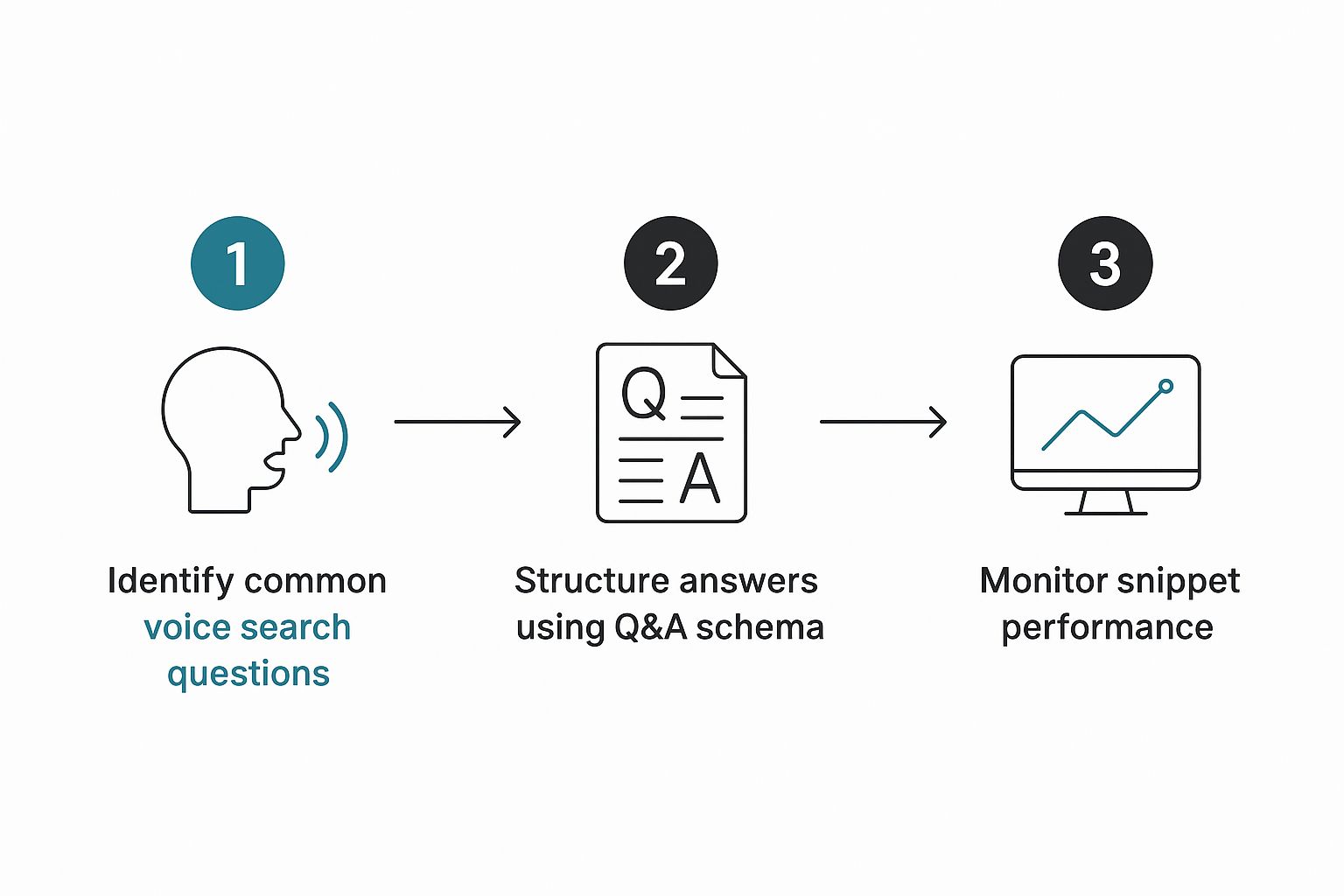
As you can see, the process is straightforward. When you zero in on the questions your audience is asking and structure your answers with the right schema, you dramatically boost your chances of being the answer.
Looking forward, this isn’t a “set it and forget it” strategy. You’ll need to keep adapting. Trends like voice commerce and constant AI improvements are changing the game. The future of search is tied to smart home devices and wearables, which makes this whole optimization puzzle more complex—but also way more rewarding.
The businesses that get these fundamentals right today are the ones that will own the voice-first results of tomorrow. If you want to dive deeper, you can find more insights about the future of voice search on aioseo.com.
Frequently Asked Questions About Voice Search SEO
When you start digging into voice search optimization, a few key questions always seem to pop up. It makes sense—while the foundations are built on good old-fashioned SEO, the way people actually use their voice to search changes the game entirely. You have to adapt your strategy to get it right.
The most significant shift is how people phrase their queries. We don’t talk like we type. A typed search might be something blunt like “local SEO cost.” But when someone asks a smart speaker, it’s more like, “Hey Google, how much does local SEO cost for a small business?” That conversational nature means your content needs to provide direct, clear answers to these longer, more natural-sounding questions.
How Do Featured Snippets Fit In?
This is a huge one. Featured snippets—that little answer box at the very top of Google’s results, often called “Position Zero”—are the holy grail for voice search. When a voice assistant like Google Assistant or Siri answers a question, it’s almost always reading that featured snippet out loud.
Getting your content into that top spot is how you become the definitive answer. To do it, structure your content to be incredibly clear. Directly answer a common question right at the start of a section, then flesh it out with concise paragraphs, bulleted lists, or even a simple table. It’s one of the most direct ways to win at voice search.
How Can I Actually Track My Voice Search Performance?
Tracking success can feel a bit tricky since there isn’t a dedicated “voice search” report in tools like Google Analytics just yet. But you can definitely connect the dots by looking at the right metrics.
A great place to start is Google Search Console. Keep a close eye on your rankings for long-tail keywords, especially those phrased as questions. If you see a spike in traffic to your FAQ pages or other content that has recently snagged a featured snippet, that’s a pretty solid indicator your voice search efforts are paying off.
Understanding how search engines read and categorize this information is also key. Resources like Wikipedia’s page on Schema.org can give you a deeper look into how structured data helps make your content more understandable to search engines, which is a big piece of this puzzle.
Ready to make your website the go-to source for voice search answers? At Galant Studios, we specialize in the kind of expert SEO and website optimization that gets your business seen and heard. Book a call to learn how we can help you dominate search results.