When we talk about website architecture for SEO, we’re not just talking about organizing your site. We’re talking about crafting a strategic blueprint that guides both users and search engines to exactly what they need. Get this right, and you’re not just building a website; you’re building a powerful engine for organic growth. A winning architecture is the difference between being found and being lost in the digital noise.
Why Site Architecture Is Your Most Powerful SEO Asset
Imagine trying to build a skyscraper without a blueprint. You wouldn’t just start throwing up walls and hope for the best, right? Your website is no different. Its architecture is the foundational framework that supports every blog post, every product page, and every dollar you spend on marketing. This isn’t a technical chore; it’s the bedrock of any serious SEO strategy.
A well-planned structure is your direct line of communication to search engines like Google. It clearly shows them your site’s hierarchy and how your content connects, proving your expertise. This clarity is non-negotiable for two critical reasons: crawlability and user experience.
Enhancing Search Engine Crawlability
Search engines use bots—often called crawlers—to discover and index content across the web. A logical website structure gives these crawlers a clear map, ensuring they can find every valuable page you publish. When a crawler moves seamlessly from your homepage to categories and down to individual pages, your entire site gets indexed properly and efficiently.
Without this clear path, you create “orphan pages”—pages with no internal links pointing to them. To a search engine, these pages are invisible islands. They won’t rank, and they won’t drive traffic. It’s like writing a brilliant book but leaving it locked in a drawer.
Improving the User Journey
Great site architecture is the soul of a great user experience. When people find what they need without friction or frustration, they stay longer, engage more, and are far more likely to become customers. Google tracks these positive user signals, reinforcing that your site delivers real value. If you’d like to dive deeper, you can learn more about what is user experience design from our detailed guide.
A messy structure, on the other hand, creates friction and kills conversions. It leads to high bounce rates and lost sales. If a potential customer has to click more than a few times to find what they need, they’re already gone—likely to a competitor with a cleaner, more intuitive website.
A website’s structure should be so intuitive that a user never has to think about where to go next. The path to information or conversion should feel effortless, guiding them naturally from one logical step to the next.
This infographic brilliantly illustrates the difference between a flat, easy-to-navigate structure and a deep, confusing one.
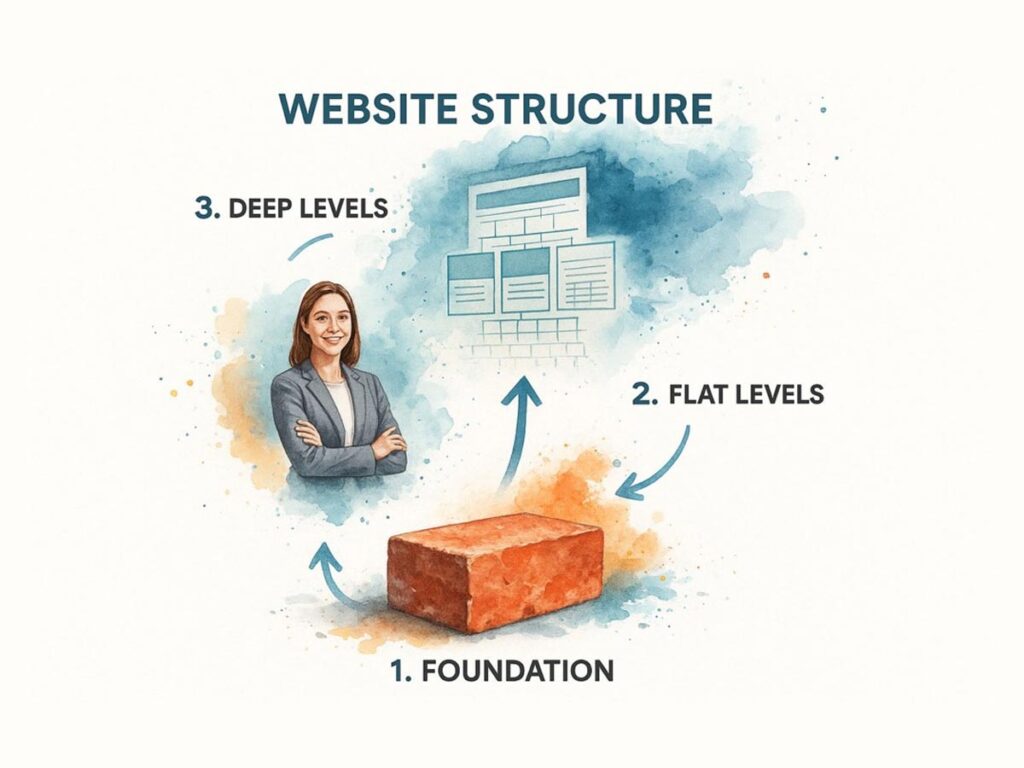
As you can see, a flatter architecture keeps your most important pages just a few clicks from the homepage. This streamlined approach makes navigation effortless for both users and search engine crawlers.
Distributing Authority Effectively
One of the most powerful, and often overlooked, benefits of smart site architecture is how it distributes “link equity,” or authority. When you earn a valuable backlink, that page passes some of its authority to other pages through internal links. A strategic architecture ensures this authority flows from powerful pages (like your homepage) to other important pages deeper within your site.
Here’s the practical difference:
- Flat Architecture: The gold standard. Key pages are no more than three to four clicks from the homepage. This allows link equity to spread more evenly, giving more pages the authority they need to rank.
- Deep Architecture: A common mistake. Important content gets buried many clicks deep, starved of link equity and struggling to rank, no matter how good it is.
By thoughtfully planning your website architecture for SEO from the start, you’re not just building for today’s rankings. You’re creating a scalable, conversion-focused foundation that will support your growth for years to come.
Mapping a Scalable and Logical Site Hierarchy

Think of your site hierarchy as the blueprint for your entire digital presence. It’s the map that guides both users and search engines through your content. Without a logical plan, even your best work can get buried, invisible to the very people you’re trying to reach.
The real starting point isn’t design—it’s getting inside the minds of your audience. The first, most crucial step is to understand what they’re actually searching for. This means a deep dive into competitor keyword analysis to uncover the terms and phrases that matter. This research isn’t just for content; it’s the foundational data you need to build your site’s main categories, ensuring your structure is built around real user intent from day one.
From Keywords to Categories
Your keyword research is the architectural data you need to build the framework of your site. The goal is to group related keywords into logical themes, which then become the main pillars—or categories—of your website.
Imagine organizing a physical retail store. You wouldn’t throw tools, groceries, and clothing into random aisles. You create clear departments—Hardware, Produce, Apparel—so customers can intuitively find what they need. Your website’s categories serve the exact same function.
Actionable Example: An e-commerce site selling outdoor gear. Its primary categories, based on keyword research, might look like this:
- Camping Equipment: Houses pages for broad terms like “camping gear” or “family tents.”
- Hiking Apparel: Targets searches like “waterproof hiking boots” or “men’s hiking jackets.”
- Climbing Gear: Perfect for keywords such as “rock climbing harnesses” or “belay devices.”
From there, each of these top-level categories is broken down into more specific subcategories (e.g., Camping Equipment > Tents > 4-Person Tents). This process directly mirrors your keyword hierarchy, creating a clear and predictable path for both users and search engines.
Building Powerful Content Silos
With your categories defined, the next move is to implement a content silo structure. This is a powerful SEO technique where you group related content together to establish undeniable topical authority. A silo is built around a main “pillar” page covering a broad topic, which is then supported by multiple, more specific pages that dive deep into related subtopics.
All the supporting pages in a silo must link back to the main pillar page, creating a self-contained cluster of expertise. This structure sends an incredibly strong signal to Google that your website is an authority on that subject.
By concentrating your internal links within a specific topic area, you prevent authority from “leaking” out to unrelated parts of your site. This focused approach helps search engines understand your areas of expertise, leading to better rankings for your most important keywords.
This concentration of relevance also acts as a magnet for high-quality backlinks. Pages at the top of Google have, on average, 3.8 times more backlinks than those on lower pages. A solid silo structure makes your pillar pages prime targets for earning these valuable links.
Planning for Future Growth
One of the most common mistakes is building a site architecture that only works for the content you have today. An effective structure is built to scale. As your business grows and you add new products or services, your site must be flexible enough to expand without becoming a disorganized mess.
Before you lock in your hierarchy, ask these critical questions:
- Where would a new product line fit? Can it be logically placed under an existing category, or does it require its own top-level section?
- How will new blog content support existing silos? Ensure your content strategy is always aligned with your architectural pillars.
- Is the structure too rigid? Avoid creating categories that are so hyper-specific they can’t be expanded upon later.
Actionable Example: A B2B software company might start with a broad category like “/services”. A scalable structure would allow them to easily add “/services/crm-integration” and “/services/data-analytics”. Later, they could add “/services/crm-integration/salesforce” without having to tear down and rebuild the entire site. This foresight saves you from major SEO headaches and ensures your architecture remains a stable foundation for growth.
Optimizing URLs And Navigation For Users And Bots

Think of your website’s URLs and navigation as a digital roadmap. They guide both human visitors and search engine crawlers, and a clear path makes all the difference between a smooth journey and a frustrating dead end. An intuitive structure doesn’t just improve the user experience; it directly impacts how well search engines can find, understand, and ultimately rank your pages.
This all starts with your URL structure. Each URL should be clean, descriptive, and immediately understandable to a human. It’s like a label on a file folder—it should tell you exactly what’s inside before you even open it.
A logical URL is a cornerstone of a positive user journey. Since a user’s first impression of your site is formed in just 50 milliseconds, getting this right from the start is critical for building trust.
Crafting Clean And Descriptive URLs
One of the biggest mistakes is letting your CMS generate long, cryptic URLs full of random numbers and parameters. These offer zero SEO value and often look untrustworthy to users scanning search results. Your goal is to create short, keyword-rich URLs that clearly reflect your site’s hierarchy.
Practical Comparison:
A poorly structured URL looks like this:yourdomain.com/cat?id=123&post=456
A much stronger, SEO-friendly version would be:yourdomain.com/blog/website-architecture-tips
The second example is instantly clear. It uses a relevant keyword (“website-architecture-tips”) and shows the user exactly where they are on the site (“/blog/”). You can get a deeper understanding of this by reading our guide on how to create SEO-friendly URLs.
Implementing Strategic Breadcrumb Navigation
Breadcrumbs are a secondary navigation system that shows users their current location within the site’s hierarchy. They leave a clear trail back to the homepage, which reduces confusion and encourages people to explore other sections of your site.
By clearly showing the relationship between pages, breadcrumbs reinforce contextual relevance for search engines and help spread link equity throughout your website.
For anyone running an e-commerce store, breadcrumbs are non-negotiable. They are essential for helping shoppers navigate complex product categories without getting lost. For a detailed breakdown, check out this Ultimate Guide To Breadcrumb Navigation In Shopify.
When you show users exactly where they are and how they got there, they feel more in control. This simple feature can dramatically reduce bounce rates and increase time on site—two powerful signals that tell search engines your content is valuable and user-friendly.
Designing An Intuitive Main Navigation Menu
Your main navigation menu is the primary tool visitors use to find what they need. It must be simple, logical, and focused on your most important pages. Overloading your menu with too many options creates decision fatigue and drives people away.
For an effective, conversion-focused navigation menu, stick to these best practices:
- Prioritize Clarity: Use straightforward labels. “Services” is always better than a clever but confusing term like “Our Solutions.”
- Maintain Consistency: The main navigation should look and function the same on every single page. This builds trust and makes your site feel reliable.
- Limit Top-Level Items: Keep your main menu to seven items or fewer. This focuses user attention and prevents overwhelm.
- Ensure Mobile-Friendliness: With mobile-first indexing, your navigation must work flawlessly on small screens. The standard “hamburger” menu is a proven, user-friendly solution.
Ultimately, your URLs and navigation must work together to create a seamless experience. A well-designed system guides users effortlessly to their destination, encouraging them to stay longer and convert. This positive behavior sends strong ranking signals to Google, reinforcing your site’s authority over time.
Building a Powerful Internal Linking Strategy
If navigation and URLs are the roads of your website, your internal linking strategy is the intelligent traffic system. It directs authority and relevance precisely where they need to go. In my experience, it’s one of the most powerful—and frequently underutilized—tools in an SEO’s arsenal.
A thoughtful internal linking plan does more than just connect pages. It meticulously weaves a strategic web that amplifies your site’s authority, shows search engines how your content is related, and guides users to their next logical step, increasing conversions.
Channeling Authority with Link Equity
Every page on your site holds a certain amount of authority, a concept often called link equity. This authority comes primarily from high-quality backlinks. A smart internal linking strategy allows you to distribute that hard-earned authority from your strongest pages (like your homepage) to other important pages that need a ranking boost.
Think of it like a plumbing system. Your most powerful pages are the main water reservoirs. Internal links are the pipes that carry that authority to other parts of your site, nourishing pages that might otherwise be hidden and helping them rank higher. Without these connections, valuable pages become “orphan pages”—cut off from the flow of authority and invisible to search engines.
A well-structured website architecture for SEO ensures no page gets left behind. By creating a deliberate flow of link equity, you can lift the organic performance of your entire site, not just a few star players.
This is why it’s absolutely critical to identify your most authoritative pages and use them as distribution hubs. By linking from these powerhouses to newer or lower-ranking pages, you give those pages a direct infusion of credibility in Google’s eyes.
Mastering Context-Rich Anchor Text
The clickable text of a hyperlink, known as anchor text, is a massive signal to search engines. It provides crucial context about the page you’re linking to. Vague anchors like “click here” or “read more” are a wasted SEO opportunity because they tell a search engine nothing about the destination page’s topic.
Good anchor text is descriptive, relevant, and sounds natural. It acts as a clear signpost, telling both users and crawlers exactly what to expect.
The difference is night and day.
| Anchor Text Type | Example Sentence | SEO Impact |
|---|---|---|
| Poor (Generic) | To learn more about our services, click here. | Provides zero topical context, wasting a valuable ranking signal. |
| Good (Descriptive) | We offer a full suite of local SEO services for small businesses. | Clearly signals the topic of the destination page, reinforcing its relevance for that keyword. |
By consistently using descriptive, keyword-rich anchor text, you help search engines build a stronger map of your site’s topical focus. While the original PageRank algorithm has evolved, the core principle of links passing value and context remains as important as ever.
Implementing the Hub and Spoke Model
One of the most effective strategies for organizing internal links is the hub and spoke model (also called the topic cluster model). This architectural approach is designed to establish your site as an authority on core subjects by creating tightly-knit content groups.
Here’s the breakdown of how it works:
- The Hub (Pillar Page): You create a comprehensive, long-form piece of cornerstone content covering a broad topic in depth. This is your central “hub.” For example: “The Ultimate Guide to Digital Marketing.”
- The Spokes (Cluster Content): Next, you produce several specific articles that dive deep into related subtopics. These are your “spokes.” Examples could be “Email Marketing Best Practices,” “Getting Started with PPC,” or “A Beginner’s Guide to SEO.”
- The Linking Structure: The magic is in the connections. Each spoke article links back up to the central hub page. The hub page, in turn, links out to each of the individual spoke articles. This creates a powerful, self-reinforcing loop of topical relevance.
This model concentrates link equity around a core topic, sending a clear signal to search engines that your website is a definitive resource. It’s a focused approach that not only improves rankings for a wide range of related keywords but also creates a far better, more logical experience for users looking to master a subject.
Weaving Technical SEO into Your Site Architecture
A brilliant architectural blueprint is only as strong as its technical foundation. After mapping out your site hierarchy, URLs, and internal linking, the final, critical piece is to fuse this structure with core technical SEO elements. This alignment is what allows search engines to not only find your content but to understand it with perfect clarity—seeing your site exactly as you intended.
If this technical layer is missing, even the most logical site plan can fall flat. It’s like designing a state-of-the-art building but forgetting to connect the electricity; the framework is impressive, but it can’t actually function.
Mastering Canonical Tags to Prevent Duplication
One of the most common technical gremlins that can unravel a solid website architecture for SEO is duplicate content. It often appears by accident, such as when e-commerce filters generate multiple URLs for the same product, or when content gets syndicated across your site.
Search engines penalize duplicate content. It splits your authority (link equity) and creates confusion over which page should rank. The solution is the canonical tag.
This simple piece of code in your page’s header points search engines like Google to the one “master” version of a page you want them to index.
Think of the canonical tag as declaring a single source of truth. It funnels all ranking signals—like backlinks and user engagement—into one preferred URL, stopping you from competing against yourself and consolidating your site’s authority.
When implemented correctly, canonical tags ensure the authority you earn flows to the right pages, reinforcing the very structure you’ve worked so hard to build.
Unlocking Rich Results with Structured Data
While a good structure helps search engines find your pages, structured data (or Schema markup) helps them understand what your content is about. It’s a standardized vocabulary you add to your site’s HTML to provide explicit context about what’s on the page—whether it’s a recipe, a product, or a local business.
By adding schema, you make your content eligible for rich results in the SERPs—those visually appealing listings with star ratings, prices, or event dates. This gives you a massive competitive advantage. For local businesses, this can be a game-changer.
Actionable Example: A local bakery uses Schema to mark up its address, hours, and customer reviews. This makes it incredibly easy for Google to feature the bakery in local map packs with star ratings, driving foot traffic and phone calls right to their door.
Ensuring Total Discovery with an XML Sitemap
Finally, an XML sitemap is the official roadmap you hand over to search engine crawlers. While your internal linking guides them organically, the sitemap is a complete list of every important URL you want them to find and index. It acts as a safety net, making sure no critical page gets missed, especially new content or pages buried deep within your site’s structure.
Creating and submitting your XML sitemap via Google Search Console is a direct line of communication with the search engine. For the best results, follow these practices:
- Include Only Indexable URLs: Your sitemap should be a clean list of high-quality, canonical pages you want in search results.
- Keep It Updated: Set up your sitemap to update automatically whenever you add, remove, or change pages.
A quick-reference table can help summarize how these technical elements support a strong site architecture.
Essential Technical SEO Elements for Site Architecture
| Technical Element | Primary SEO Function | Common Implementation |
|---|---|---|
| Canonical Tags | Prevents duplicate content issues and consolidates link equity to a single, preferred URL. | Add a rel="canonical" link tag in the <head> section of duplicate pages. |
| Structured Data | Provides context to search engines about page content, enabling eligibility for rich results. | Implement JSON-LD script in the <head> or body of the HTML. |
| XML Sitemap | Ensures search engines can discover and crawl all important pages on a website. | Generate an XML file and submit it through Google Search Console. |
| robots.txt File | Instructs search engine crawlers which parts of the site they should not access or crawl. | Create a robots.txt file in the root directory of the domain. |
These technical pillars work in concert to fortify your website’s architecture. By managing duplicate content, adding context with structured data, and providing a clear sitemap, you create a site that is not just well-organized, but technically impeccable. For those aiming to push performance even further, exploring advanced website performance optimization techniques can offer a significant competitive advantage.
Common Website Architecture Questions Answered
Even with the best plan, you’re bound to run into specific questions when you start putting your site architecture into practice. Let’s tackle a few of the most common hurdles and how to clear them without derailing your SEO.
The big one, especially for established sites, is the migration. Whether you’re changing domains or just overhauling your URL structure, the risk is real. A botched migration can tank your rankings overnight. The absolute key is a meticulous 301 redirect map. Think of it as a change-of-address form for every single page. This map tells search engines exactly where each old URL now lives, ensuring you pass along your hard-earned link equity and don’t leave visitors staring at a “404 Not Found” error.
Subdomains Versus Subfolders
This is the classic debate: should your new blog live on blog.yourdomain.com (a subdomain) or yourdomain.com/blog (a subfolder)? My answer is almost always the same. For maximum SEO impact, subfolders are the clear winner.
Why? Search engines often treat a subdomain as an entirely separate website. This means the authority you’ve built on your main domain might not fully pass to content on the subdomain, essentially splitting your strength.
By keeping everything in subfolders under one root domain, you consolidate your SEO power. All your content works together to boost the authority of a single, unified site. This makes every backlink you earn that much more powerful.
Actionable Example: If a service business adds an e-commerce section, putting it at yourdomain.com/shop lets it immediately tap into the site’s existing authority. Starting it on shop.yourdomain.com is like starting from scratch in a new location.
How Deep Should My Pages Be?
Another practical question is about click depth—how many clicks it takes to get from your homepage to any other page. There isn’t a single magic number, but a proven rule of thumb is to keep your most important pages within three to four clicks of the homepage.
A practical structure might look like this:
- 1-2 Clicks: Homepage and primary service or product categories.
- 2-3 Clicks: Deeper subcategories and key informational pages (e.g., “About Us”).
- 3-4 Clicks: Specific product pages, individual articles, or case studies.
When pages are buried deeper than four clicks, they become much harder for crawlers to find and index. Google may even interpret their depth as a signal that they aren’t important. A “flatter” architecture is better for search engines and, more importantly, for your users. People find what they need faster, which is always a win for conversions.
Remember, a high-performing website architecture isn’t a one-time project. It requires ongoing attention to ensure it remains clear, scalable, and optimized for performance.
At Galant Studios, we don’t just build websites; we build strategic, SEO-driven platforms designed to dominate search rankings. We bake a winning architecture into every pixel and line of code. If you want to build a site that truly performs, let’s connect.