
If your local business website doesn't use schema markup, you're leaving it up to Google to guess what you're all about. This powerful code acts as a translator, turning your most important information—like your address, hours, and services—into a language search engines understand instantly.
Think of it this way: without schema, your website is just another storefront on a crowded street. With it, you're hanging a bright, welcoming sign that tells everyone exactly who you are, what you offer, and why they should walk through your door.
Why Schema Is a Game-Changer for Local SEO
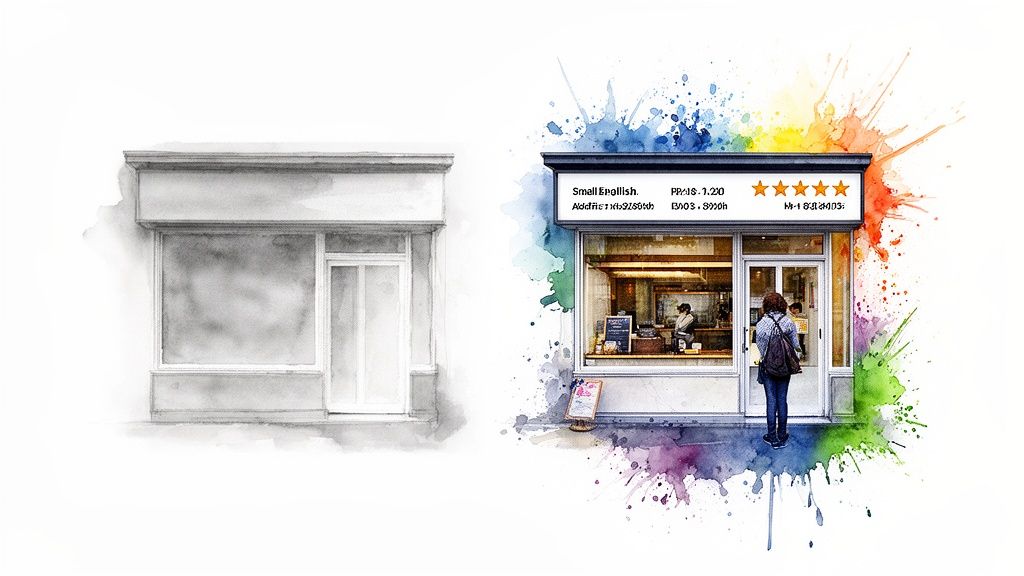
In a competitive local market, you need every advantage you can get. While your competitors focus on the usual SEO tactics, implementing schema markup for a local business gives you a powerful, often overlooked, way to communicate directly with search engines. This structured data removes all ambiguity for Google.
Instead of just crawling the text on your "Contact Us" page and hoping for the best, Google can immediately understand:
- Your exact business name, address, and phone number (NAP).
- Your precise opening hours for every single day of the week.
- The specific services you offer, like "emergency plumbing" or "vegan catering."
- Your hard-earned customer ratings and glowing reviews.
This clarity builds trust with Google, which translates directly into better visibility in search results. You'll see this in the form of rich snippets—those eye-catching results with star ratings, hours, or event details displayed right on the search page.
Turning Data Into Paying Customers
Ultimately, schema isn't about impressing search engine bots; it’s about connecting with real, paying customers. Imagine a fantastic local coffee shop struggling to get foot traffic. For them, showing up clearly in search is the difference between an empty cafe and a line out the door. In fact, research shows that pages with rich results driven by schema can see an 82% higher click-through rate (CTR) than standard organic listings.
This happens because schema gives searchers critical information before they even click. When someone sees your five-star rating or confirms you're open right now, they're far more likely to choose you over a competitor. It builds immediate trust and brings qualified leads right to your doorstep.
Key Takeaway: Schema markup transforms your standard search listing into a rich, interactive digital storefront. It’s no longer just a blue link; it’s an advertisement, a business card, and a map marker all in one.
Gaining a Competitive Edge
Despite these undeniable benefits, a surprising number of local businesses either don't use schema markup or implement it incorrectly. This is a massive opportunity for you. Properly structured data is one of the foundational local search ranking factors that can help push your business into the valuable Google Local Pack. For a deeper look, check out our guide on how local search ranking factors impact your visibility.
This table breaks down the core components of LocalBusiness schema, explaining what each property does and why it's crucial for winning more customers.
Local Business Schema At a Glance
| Schema Property | What It Tells Google | Why It Matters for Your Business |
|---|---|---|
name |
Your official business name. | Ensures brand consistency and helps users identify you instantly. |
address |
Your physical street address. | Essential for map listings and "near me" searches that drive foot traffic. |
telephone |
Your primary phone number. | Enables one-click calling from mobile devices, a direct line to new business. |
openingHours |
Your business hours for each day. | Informs customers when they can visit, preventing frustration and lost sales. |
geo |
Your precise geographic coordinates. | Pinpoints your location for mapping services and GPS, guiding customers to you. |
priceRange |
A general idea of your pricing (e.g., $, $$). | Helps set customer expectations and attracts the right kind of clientele. |
review |
Aggregated customer ratings and reviews. | Builds powerful social proof and can generate star ratings in SERPs, boosting clicks. |
By providing this data directly, you're giving Google everything it needs to confidently recommend your business over others.
Whether you run a small boutique or a large franchise, schema is an essential part of a modern local SEO strategy. For instance, this ultimate guide to local SEO for car dealerships shows how these principles are applied in a highly competitive industry. By taking the time to add this code, you are feeding Google the exact information it needs to send customers your way.
Choosing the Right Schema for Your Business
While using the generic LocalBusiness schema is a decent start, the real magic happens when you get specific. Telling Google you're a "business" is one thing. Telling it you're a "Dentist" that specializes in "Cosmetic Dentistry" is a game-changer.
This is where you pull ahead of competitors who've only done the bare minimum.
Think of it this way: "It's a building on Main Street" is a useless set of directions. But "it's the red brick coffee shop on the corner of Main and Elm, the one that's open until 6 PM" gives someone exactly what they need. Specific schema markup does the same thing for search engines, leaving absolutely no room for misinterpretation.
Moving Beyond the Generic
The official Schema.org vocabulary offers a massive hierarchy of business types. Before you default to LocalBusiness, your first job is to find the category that perfectly describes what you do. For example, the United States government recognizes specific business structures like a sole proprietorship or LLC. While schema isn't about legal structure, this level of detail is just as important for search engines. It gives Google powerful context about your services and the exact customers you’re trying to reach.
Here are a few practical examples of this in action:
- A local cafe shouldn't just use
LocalBusiness. It should useFoodEstablishment, or even better, the hyper-specificCafeOrCoffeeShop. - A law firm is more than a
LocalBusiness. It's aProfessionalService, and more precisely, aLegalService. - A retail shop is better described as a
Store, which you can then narrow down toClothingStoreorElectronicsStore.
This level of detail is precisely what connects your business to highly motivated, specific user searches.
Key Insight: Specificity is your competitive advantage. A generic
LocalBusinessschema lumps you in with every other business on the block. A specific type likePlumberorRestaurantimmediately tells Google you’re the right answer for targeted local searches.
Practical Examples for Common Business Types
Let's make this more concrete. Here’s how you can tailor JSON-LD code for different types of local businesses. Notice how each example uses properties that are uniquely relevant to its industry.
For a restaurant, properties like servesCuisine and acceptsReservations are invaluable. The servesCuisine property is your ticket to showing up for searches like "Italian food near me," while acceptsReservations can unlock direct booking features in your search listing.
Example for a Restaurant:
{
  "@context": "https://schema.org",
  "@type": "Restaurant",
  "name": "The Downtown Bistro",
  "address": {
    "@type": "PostalAddress",
    "streetAddress": "123 Market St",
    "addressLocality": "San Francisco",
    "addressRegion": "CA",
    "postalCode": "94103"
  },
  "telephone": "+14155551234",
  "servesCuisine": "Modern American",
  "acceptsReservations": "True",
  "priceRange": "$$$"
}
This code doesn't just list an address; it starts to sell an experience before a user even clicks.
Service-Based and Medical Business Schema
For a business without a traditional storefront, like a plumber, or a medical practice like a dentist, the schema needs to highlight different strengths. A plumber’s schema can define their exact service area, while a dentist’s can list accepted insurance plans.
Example for a Plumber:
{
  "@context": "https://schema.org",
  "@type": "Plumber",
  "name": "Reliable Rooter Plumbing",
  "address": {
    "@type": "PostalAddress",
    "streetAddress": "456 Oak Ave",
    "addressLocality": "Austin",
    "addressRegion": "TX",
    "postalCode": "78701"
  },
  "telephone": "+15125555678",
  "areaServed": {
    "@type": "City",
    "name": "Austin"
  },
  "openingHours": "Mo-Fr 08:00-17:00"
}
This kind of markup helps that plumber appear in geographically-focused searches, even if the customer isn't right next to their physical office.
Layering in Supporting Schema to Enhance Your Listing
Picking the right business type is the foundation. To truly make your listing pop, you need to layer on supporting schema types that add even more valuable information.
Two of the most crucial for any local business are Organization and AggregateRating.
-
OrganizationSchema: This establishes your brand as a legitimate entity. It’s where you can define your official logo, brand name, and link out to your social media profiles. This directly strengthens your brand's presence and helps build out your Knowledge Panel. -
AggregateRatingSchema: This is how you get those eye-catching gold stars to show up in your search result. By marking up your average rating and total review count, you provide powerful social proof that can dramatically boost your click-through rate. The data is clear: users trust and click on results that display positive ratings.
When you combine a specific business type with these supporting schemas, you build a rich, detailed data profile that is impossible for search engines to ignore and even harder for potential customers to resist.
How to Add Schema Markup to Your Website
Alright, let's move from theory to action. Getting schema markup onto your website is far more straightforward than most people think. You don't need to be a developer to give search engines this incredibly valuable data. It comes down to picking the method that best suits your website's platform and your comfort level.
There are three main ways to get this done, each with its own pros and cons. We'll walk through them so you can feel confident choosing the right path for your local business.
Before you jump in, it helps to visualize the selection process. You start broad, get more specific, and then add extra details to build a complete picture for search engines.
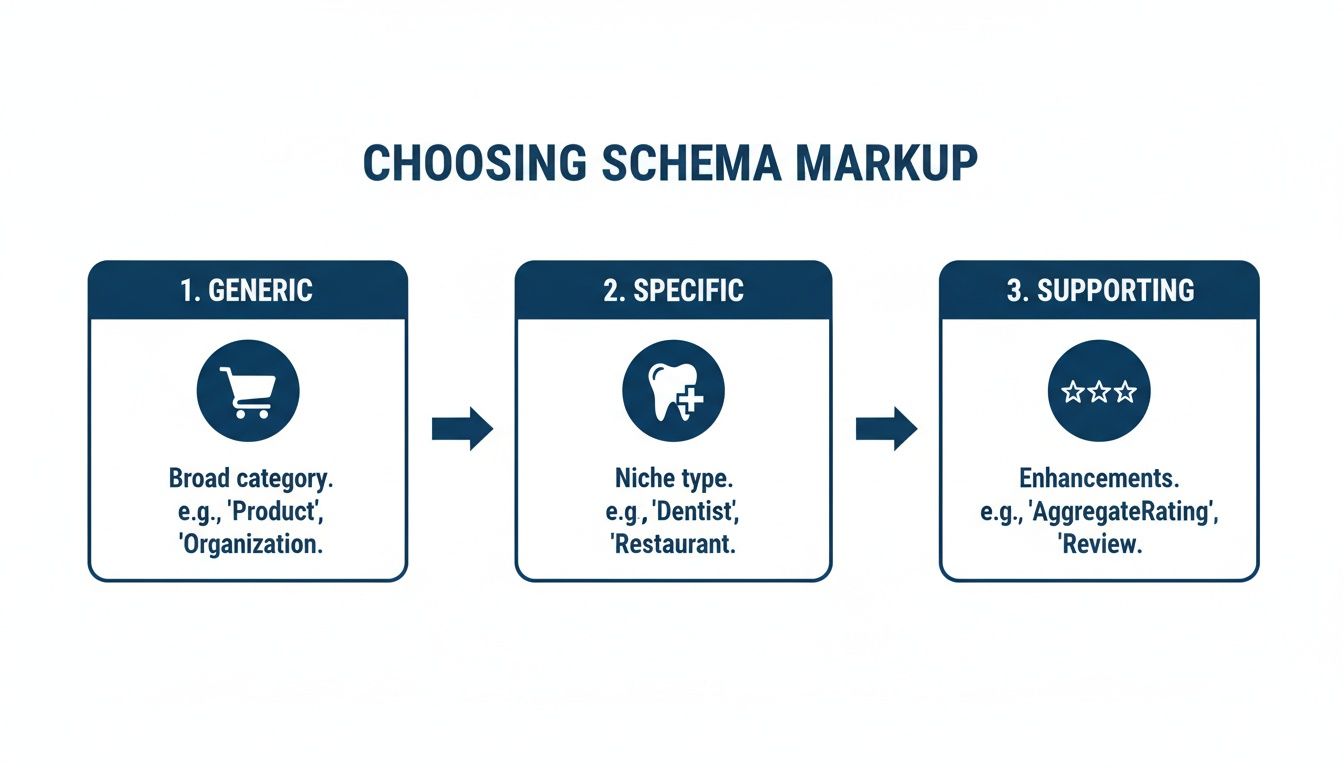
This logical flow—from a general type, to a specific category, and then layering on supporting properties—is the key to creating a rich, comprehensive profile.
The Point-and-Click Method: Google's Structured Data Markup Helper
If you’d rather avoid touching any code directly, Google's own Structured Data Markup Helper is the perfect place to start. It’s a free, visual tool that lets you literally highlight bits of information on your webpage and tell Google what they are.
You simply select the "Local Businesses" data type and paste in the URL of the page you want to work on, like your homepage or contact page. The tool then pulls your page into an interactive editor where you can:
- Highlight your business name and tag it as the
nameproperty. - Select your full address and tag it as the
addressproperty. - Click on your logo and assign it as the
image.
Once you’ve tagged all the key details, the tool generates the complete JSON-LD script for you. All you have to do is copy that block of code and paste it into the <head> section of your site’s HTML. It’s a fantastic, beginner-friendly method that requires zero coding experience.
My Take: The Markup Helper is a great entry point, but it's not exhaustive. I often use it to generate the basic framework and then manually add more specific properties to the script. Think of it as creating a solid foundation that you can build upon for even better results.
The Automated Route: WordPress SEO Plugins
Running a WordPress site? You're in luck. The most popular SEO plugins, like Yoast SEO and Rank Math, come with powerful schema features baked right in, automating a huge chunk of the work.
Inside your plugin's dashboard, you'll find a dedicated section for "Local SEO" or business information. Here, you enter your core details just once:
- Business Name and Logo
- Complete Physical Address
- Contact Number
- Hours of Operation
The plugin takes this information and automatically generates the correct LocalBusiness schema in the background. It then intelligently injects this code into the right places on your site. This "set it and forget it" approach ensures your foundational business data is always marked up correctly and consistently.
This kind of consistency is a cornerstone of a well-optimized site architecture that benefits SEO, as it constantly reinforces who you are and where you are located across your entire website.
The Power User's Choice: Manually Adding JSON-LD
For those who are comfortable editing a bit of code, writing the JSON-LD script by hand gives you absolute control. JSON-LD (JavaScript Object Notation for Linked Data) is Google's preferred format because it’s added as a self-contained script and doesn't interfere with the visible content on your page.
This method involves crafting a <script> tag with all your schema details and placing it in the <head> section of your page’s HTML. This is the best approach when you need to get very specific with your schema or want to layer multiple types on the same page.
A local dental practice, for example, could go beyond the basic Dentist schema. They could manually add FAQPage schema for their common patient questions and AggregateRating to pull in their fantastic reviews. You simply can't achieve that level of detail with most automated tools.
This control can be a game-changer. For many businesses, pages with rich snippets see a 20-30% lift in qualified organic traffic. Why? Because you're setting clear expectations before the user even clicks, which in turn boosts conversion rates.
No matter which path you take, the goal is always the same: give search engines clear, structured, and accurate information. When you do that, you vastly improve your odds of standing out in a crowded local market and bringing more customers through your doors.
How to Test and Validate Your Local Schema
Getting your schema markup live on your site is a huge step, but the job isn't quite done. You absolutely must verify that search engines can actually read and understand what you’ve added.
Skipping this final check is like sending out a beautifully designed marketing flyer riddled with typos. It undermines all your hard work and can create more confusion than clarity. By validating your code, you ensure your efforts translate into real, tangible SEO benefits.
Thankfully, Google provides some excellent free tools designed for exactly this purpose.
Using Google's Rich Results Test
Your first stop should always be Google's Rich Results Test. This tool is your go-to for checking if your page is eligible for the special features, or "rich results," that Google shows in its search listings. It doesn't just validate your code; it also gives you a sneak peek at how your listing might look.
Using it is straightforward. You can either pop in the URL of the page you just updated or paste your code snippet directly into the tool. From there, it gets to work analyzing your markup.
This is what you're hoping to see—a successful validation in the Rich Results Test.
That little green checkmark is your goal. It’s Google’s way of telling you that it has detected your LocalBusiness markup and that your page is eligible for those valuable enhanced features.
You’ll get one of three possible outcomes:
- Valid: A green checkmark means your code is clean, and you’re eligible for rich results. Perfect.
- Valid with warnings: A yellow exclamation point indicates the schema is technically correct, but you're missing recommended properties that could make it even stronger, like
priceRangeorreview. - Invalid: A red "X" is a showstopper. This means you have critical errors, like a missing comma or a required property like
address. Google won't be able to process invalid schema at all.
Interpreting the Results and Fixing Common Errors
Once you have your results, it's time to interpret them. Imagine a local restaurant chain watching its competitors completely dominate the Google Maps "local pack." The power of LocalBusiness schema is its ability to help you compete for that space, where the top three results capture the vast majority of clicks—often over 70% of local search volume.
Even small errors in your schema could be the one thing holding you back from that prime visibility.
If you do see errors, don't panic. The testing tool is incredibly helpful, highlighting the exact line of code with the problem and giving you a clue about what's wrong.
Pro Tip: From my experience, the most common issue is a simple syntax mistake in the JSON-LD script. Be on the lookout for a missing comma after a property-value pair (except for the very last one) or a misplaced curly bracket
{}.
Here are a few frequent culprits and how to fix them:
- Missing Required Properties: The tool might flag that
nameoraddressis missing. Just go back into your script and make sure those essential fields are present and filled out. - Incorrect Data Formatting: Certain data types have to follow specific formats. For example,
openingHoursneeds to use the precise ISO 8601 format (e.g.,Mo-Fr 09:00-17:00). Double-check that your dates, times, and phone numbers are structured correctly. - Invalid Type: This is usually a simple typo. You might have accidentally written
LocalBuisnessinstead ofLocalBusiness. Always cross-reference your spelling with the official Wikipedia page for Schema.org vocabulary.
The Schema Markup Validator: A Deeper Dive
While the Rich Results Test is focused on what Google cares about for its features, the Schema Markup Validator is a more comprehensive tool. It checks your code against the entire Schema.org vocabulary, not just the parts Google uses for rich results.
This makes it the perfect tool for troubleshooting more complex or custom schema implementations. Using both tools gives you complete coverage. The Rich Results Test confirms you’re eligible for Google’s special features, and the Validator confirms your code is universally sound.
When you're validating, you can also leverage some of the best SEO tools on the market to ensure every detail is implemented correctly. Remember, your schema markup should be a mirror image of the data in your Google Business Profile. Our guide on how to optimize Google My Business can help you get that consistency perfect.
Go Beyond the Basics to Outrank Your Competition
Once you have the fundamentals of LocalBusiness schema dialed in, it’s time to gain a real edge. Moving past the basics unlocks a world of rich, interactive search results that do more than just get you seen—they start answering customer questions before they even click. This is where top-ranking local businesses separate themselves from the pack.
These advanced strategies turn your website from a digital business card into a machine for attracting new customers. When you feed search engines more specific, structured data, they reward you with more prominent, engaging placements in their results.
Use FAQPage Schema to Own More SERP Real Estate
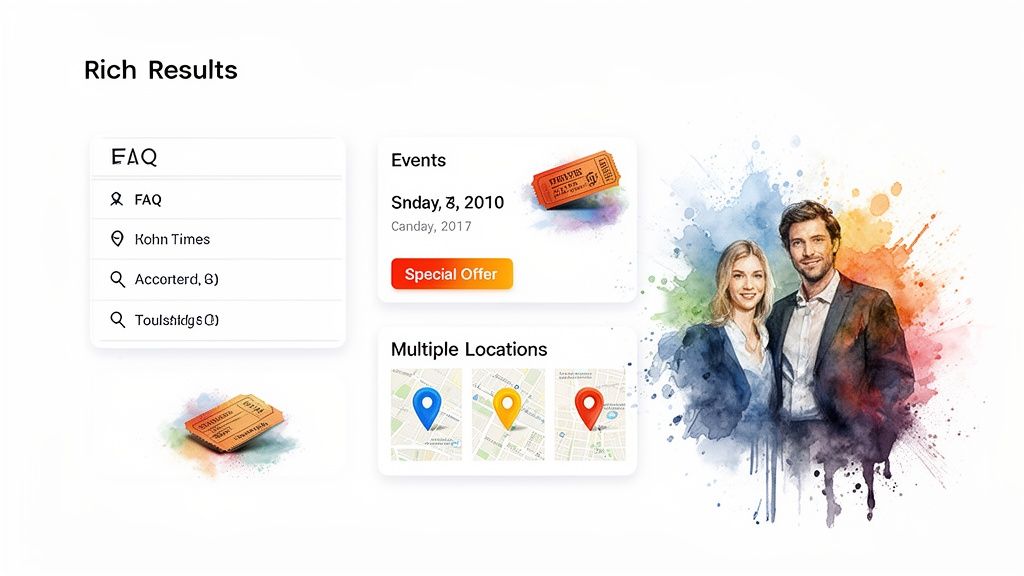
One of the most powerful plays you can make is implementing FAQPage schema. This markup lets you feature common questions and answers right in the search results, displayed in an expandable accordion format directly under your main listing.
Think from your customer's perspective. A landscaping company could use this to answer "How often should I water my lawn in the summer?" or "What's included in your weekly maintenance package?" on their core service pages.
By anticipating what your customers are asking, you accomplish several key things:
- You build instant trust. Answering questions upfront shows you're a knowledgeable expert.
- You dominate the page. This feature dramatically increases the physical space your listing occupies, pushing competitors down.
- You get qualified leads. Potential customers arrive on your site with their initial questions already answered, making them more likely to convert.
This is a fantastic way to address user intent head-on, which often results in a higher click-through rate from people who are genuinely ready to take the next step.
Drive Action with Event and SpecialOffer Schema
Does your business run workshops, host seasonal sales, or have special promotions? If you're not using Event and SpecialOffer schema, you're leaving money on the table. These schema types let you broadcast time-sensitive information directly in the SERPs, creating a sense of urgency that drives immediate interest.
For example, a local bookstore with an upcoming author signing can use Event schema to show the event name, date, and time right in its search listing. Suddenly, a standard blue link becomes a timely advertisement that can genuinely boost attendance.
Likewise, a day spa could use SpecialOffer schema to announce a 20% off massage promotion. This markup can highlight the special price and how long the offer is valid, making their listing far more enticing than a competitor's.
Key Insight: These schema types shift a user from a passive searcher to an active participant. By showing them something happening right now, you give them a powerful reason to choose your business over another, effectively shortening the path from discovery to conversion.
A Winning Strategy for Multi-Location Businesses
If you run a business with more than one physical location, a cookie-cutter schema approach is a recipe for poor results. Each of your branches serves its own community, and your schema must reflect that. The only way to do this right is to build a dedicated page on your website for each individual location.
From there, each location page needs its own unique LocalBusiness schema. That code should be populated only with details specific to that single branch:
- The unique street address and local phone number.
- The specific hours of operation, which often vary between locations.
- Links to customer reviews and photos for that particular store.
This approach sends crystal-clear signals to search engines about each of your storefronts. It prevents Google from getting confused about which location is which and dramatically improves each branch's odds of ranking in the local map pack for "near me" searches. This is precisely how successful franchises and multi-location businesses dominate local search in every market they enter.
Frequently Asked Questions About Local Business Schema
It's completely normal to have a few questions after you've implemented your schema. Structured data can feel a bit technical at first, but once you've gone through the process, the core ideas become second nature. Let's clear up some of the most common questions to help you feel confident in your local SEO strategy.
Think of this as the final check-in to make sure you understand not just how to implement schema, but why it's such a critical piece of the puzzle.
What's the Difference Between LocalBusiness Schema and a Google Business Profile?
This is a great question, and the answer gets to the heart of how local SEO works. Think of your schema markup and your Google Business Profile (GBP) as two sides of the same coin—they need to mirror each other perfectly.
Your GBP is the profile you manage directly with Google. The LocalBusiness schema on your website acts as the independent verification of that same information, straight from the source. When every single detail—your address, phone number, operating hours—is identical on both, you send a massive trust signal to Google. It’s this consistency that dramatically increases your chances of appearing in the coveted local map pack.
How Long Does It Take to See Results from Schema Markup?
There's no magic number here, but you can generally expect Google to recrawl your site and process the new schema within a few days to a few weeks. How quickly that translates into better rankings or rich snippets really depends on other factors, like your site's overall authority and how stiff the local competition is.
Your job is to get the code right, test it using Google's tools, and then monitor the data. Watch your Google Search Console reports for any changes in impressions or clicks for rich results.
Key Takeaway: Patience is important, but proper validation is everything. Getting results starts with correct implementation. While the impact isn't always instant, schema is a fundamental building block for long-term success in local search.
Can I Use More Than One Schema Type on a Page?
Yes, absolutely! In fact, you should. Layering multiple, relevant schema types on a single page is an advanced strategy that gives search engines a far more detailed and nuanced understanding of your content. This can make you eligible for more types of rich results and help you rank for very specific searches.
Let's imagine a page for a local bakery advertising a "Custom Wedding Cake Consultation." That one page could benefit from several layers of schema:
LocalBusinessto identify the bakery itself.Serviceto describe the consultation service being offered.FAQPageto answer questions like, "How far in advance should I book?"ImageObjectfor the beautiful photos of past wedding cakes.AggregateRatingto pull in all those fantastic five-star reviews.
This combination paints a much more complete picture for Google, making your page a far more compelling result.
What's the Most Common Mistake with Local Schema?
Without a doubt, the single most common—and most damaging—mistake is inconsistent NAP (Name, Address, Phone Number) information. This happens when the details in your schema markup don't 100% match what's on your Google Business Profile, your Yelp page, your Facebook profile, and every other local directory.
Even a tiny discrepancy, like listing "St." in your schema but "Street" on your GBP, can sow seeds of doubt for search engines. It weakens their trust in your data and can directly hurt your ability to rank. The golden rule is to ensure your core business information is identical, character for character, everywhere it appears online.
Ready to ensure your business stands out in local search? The team at Galant Studios specializes in expert SEO and website optimization that drives real growth. We build powerful local strategies to help you rank higher, attract more customers, and achieve your business goals. Contact us to get started.