
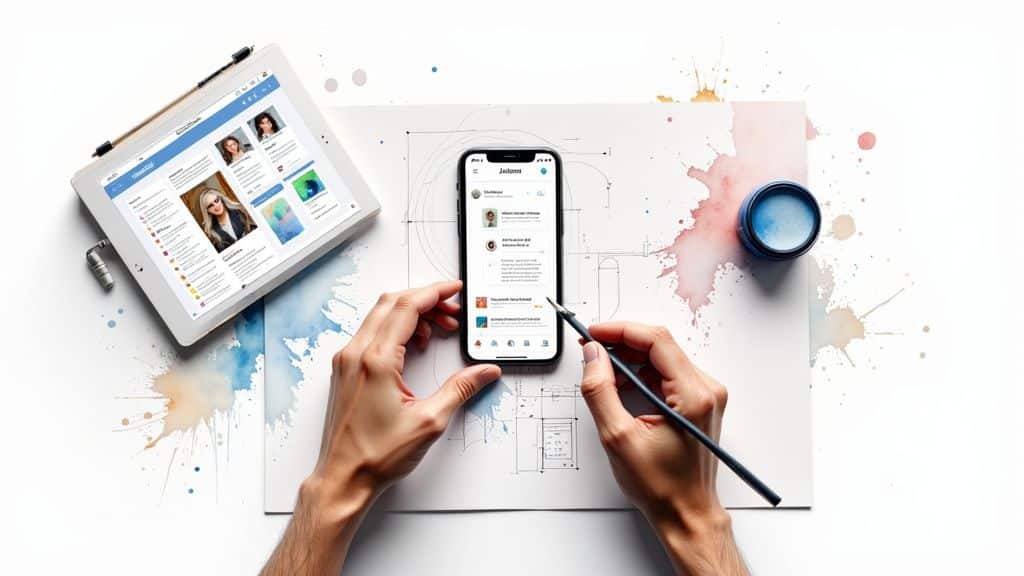
In a world overflowing with apps, websites, and digital tools, what makes one product a runaway success while another fades into obscurity? The answer, more often than not, is user experience (UX) design. At its core, UX is the human-first process of creating products that are not just functional, but genuinely easy and enjoyable to use. It’s the invisible force that guides you seamlessly through a task, making technology feel less like a machine and more like a helpful partner.
The goal? To build experiences so intuitive that they feel effortless, creating a deep sense of satisfaction that turns casual users into loyal customers.
Understanding User Experience Design Beyond The Buzzword

It’s easy to mistake UX design for just making things look pretty. While visual appeal matters, true UX runs much deeper. It’s the thoughtful architecture beneath the surface—the logic that anticipates your needs and clears a path to your goal without confusion or frustration.
Think of the last time you used a self-checkout at a grocery store. Was it a clunky, frustrating ordeal with an unresponsive scanner and confusing prompts? Or was it a smooth, guided process that got you on your way in seconds? That feeling of seamless efficiency is the direct result of great UX design. One experience builds brand loyalty; the other sends customers running to your competitors.
The Core Components of User Experience
To engineer an experience that truly connects with users, designers focus on a handful of essential components. These are the pillars that determine whether a product feels helpful and trustworthy or just gets in the way.
Here’s how these pillars translate into real-world value:
| Component | Description | Example in Action |
|---|---|---|
| Usability | How easy and efficient is it for users to accomplish their goals? | A well-designed e-commerce site where you can find a product, add it to your cart, and check out in under a minute. |
| Accessibility | Can people with diverse abilities and disabilities use the product without barriers? | A government website that uses high-contrast text and is fully navigable via keyboard, ensuring all citizens have equal access. |
| Desirability | Does the design create an emotional connection that makes people want to use the product? | The clean interface and smooth animations of a premium mobile app that make using it feel like a pleasure, not a chore. |
| Credibility | Do users trust your product and believe it is secure and reliable? | A financial app that clearly displays security credentials, uses multi-factor authentication, and has an error-free, professional polish. |
| Value | Does the product solve a real problem and deliver tangible benefits to the user? | A navigation app that provides real-time traffic data, saving users time and fuel on their daily commute. |
When these elements work together, the result is an experience that doesn’t just function—it builds trust, fosters loyalty, and drives business growth.
Why It’s Not Just About Websites
While UX is famously applied to websites and apps, its principles are universal. From the intuitive controls on your car’s dashboard to the logical layout of an airport terminal, user experience design is everywhere.
A thoughtfully designed product respects a user’s time and mental energy. It anticipates their needs and provides a clear, frictionless path to their goal. To see this in action, you can explore a variety of good design examples that inspire creativity and functionality across different industries. Ultimately, great UX is the key to creating products that people don’t just tolerate, but truly love.
From Ancient Tools to Digital Interfaces: A Brief History of UX
The drive to improve the human experience isn’t new. Long before the first computer, the core principle of UX design was already shaping our world: fit the tool to the person, not the person to the tool. This philosophy is rooted in the timeless goal of making work easier, faster, and more effective.
You can see its influence throughout history. Consider the ergonomic handle of an ancient Greek amphora, designed for a comfortable grip, or the logical layout of a Gutenberg printing press, optimized for speed and efficiency. These early innovators were, in essence, pioneering user-centric design by obsessing over how people would actually interact with their creations.
From the Factory Floor to the Living Room
The Industrial Revolution formalized these ideas into a scientific discipline. In the early 20th century, pioneers like Frederick Winslow Taylor introduced principles of efficiency and ergonomics to the factory floor. His famous “time and motion” studies were an early form of user research, analyzing how workers performed tasks to streamline workflows and reduce physical strain.
This human-focused approach gained momentum over the decades. Industrial designer Henry Dreyfuss became a vocal champion for “designing for people,” proving that products ranging from telephones to tractors could be both beautiful and a pleasure to use. These visionaries laid the groundwork for modern UX by demonstrating a clear link between a product’s usability and its commercial success. For a deeper dive into this evolution, this timeline on the history of user experience offers a fantastic overview.
The Cognitive Revolution and Human-Computer Interaction
The arrival of the personal computer presented a brand-new challenge. Early machines were powerful but notoriously difficult to use, requiring users to learn complex command-line languages. The “interface” was the raw machine, creating a massive barrier between human and computer.
This is where cognitive science changed everything. Researchers began applying their knowledge of how people think, learn, and solve problems to the design of computer systems. This fusion of psychology and technology created the field of Human-Computer Interaction (HCI), which set out to make technology more intuitive.
“The user is not a computer. The user is a person. The goal of the interface is to help the person accomplish their goals, not to expose the underlying technology.”
This marked a seismic shift. The focus moved from showing off a machine’s technical power to supporting what a person needed to accomplish. Core concepts we now take for granted—like the desktop metaphor, clickable icons, and drop-down menus—were born from this effort to build a bridge between the human mind and the computer’s logic.
The Digital Boom and Modern UX
The explosion of the internet in the 1990s and the rise of smartphones cemented UX design as a critical business function. As billions of people moved their lives online, the commercial impact of design became undeniable. A poorly designed website meant lost sales. A beautifully intuitive app could dominate an entire market.
This journey proves that UX isn’t a fleeting trend. It is a mature, evidence-based discipline built on decades of research into psychology, ergonomics, and computer science. Understanding this history clarifies why putting the user first isn’t just a nice idea—it’s the fundamental key to creating products that succeed.
The Core Principles of Effective UX Design

Exceptional user experiences aren’t accidental. They are meticulously crafted on a foundation of proven principles—the non-negotiable rules that guide designers in creating products that feel intuitive, efficient, and trustworthy.
Think of these principles as a checklist for success. When you follow them, you create products that resonate with users. Ignore them, and you risk leaving users confused, frustrated, and ready to abandon your product for a competitor’s.
Make It Easy to Use
The number one rule is usability. It all comes down to a simple question: can someone easily and efficiently achieve their goal with this product? If the answer is anything but a resounding “yes,” all other efforts are wasted.
Actionable Insight: When designing a form, place labels above the input fields. Studies show this improves scanning and reduces completion time. Every field should have a clear purpose. If you don’t absolutely need a piece of information, don’t ask for it. Every extra field you add increases the chance a user will give up.
Make It Work for Everyone
Great design is inclusive design. Accessibility is the principle of ensuring that people with a wide range of abilities and disabilities can use your product without barriers. This isn’t just about compliance; it’s about expanding your audience and, in many cases, improving the experience for everyone.
Designing for accessibility means considering real-world needs, such as:
- High-Contrast Text: Ensuring text is readable against its background for users with low vision.
- Alternative Text for Images: Writing descriptive “alt text” so screen readers can describe images to visually impaired users.
- Full Keyboard Navigation: Making sure every feature can be accessed with a keyboard, which is essential for people with motor impairments.
A trustworthy resource for this is the official set of W3C accessibility standards, the global benchmark for creating inclusive digital experiences.
Build Trust Through Consistency and Feedback
To create an experience that feels stable and predictable, designers rely on two powerful allies: consistency and feedback. Together, they give users a sense of control and build a deep foundation of trust.
Consistency means that similar elements look and behave in a predictable way. For example, a “Save” button should always use the same color, icon, and placement throughout your app. This predictability reduces the user’s mental load—they don’t have to relearn how things work on every new screen.
Feedback is how the system communicates that an action has been received and processed. When you tap “Add to Cart,” a small animation or a notification provides instant confirmation. Without that signal, users are left wondering, “Did it work?” which leads to uncertainty and repeated actions.
Finally, clarity underpins everything. Great design speaks for itself, using plain language and a logical visual hierarchy to guide users without making them guess. By adhering to these core principles, you can elevate a product from merely functional to genuinely helpful and worthy of your users’ trust.
A Practical Walkthrough of the UX Design Process
Great user experience doesn’t come from a flash of inspiration. It’s the result of a structured, iterative process that places the user at the heart of every decision. This methodical approach ensures the final product solves real problems for real people, rather than being built on risky assumptions. Frameworks like the Design Thinking process steps offer a proven roadmap for this human-centered problem-solving.
This journey is typically broken down into five distinct but overlapping stages. Each phase builds on the last, creating a cycle of learning and refinement that transforms a vague idea into a fully validated solution.
Step 1: Empathize With The User
Every successful product begins with empathy. This is the foundational stage where designers set aside their own assumptions to deeply understand the people they are designing for. The goal is to uncover their true needs, motivations, and pain points.
This is not guesswork. It involves proven research methods:
- User Interviews: One-on-one conversations that dig deep into a user’s experience with a particular problem.
- Surveys: Tools like Typeform or SurveyMonkey help gather quantitative data from a broad audience to identify widespread patterns.
- Observation: Watching users perform tasks in their natural environment to see their struggles firsthand.
Actionable Insight: When conducting an interview, ask open-ended questions like, “Can you walk me through the last time you tried to…” instead of leading questions like, “Wasn’t it frustrating when…?” This encourages genuine stories, not just simple yes/no answers.
Step 2: Define The Core Problem
With rich user data in hand, the next step is to synthesize it into a clear, actionable problem statement. The Define phase is about finding the signal in the noise—analyzing the research to pinpoint the fundamental user need that must be addressed.
A key output of this stage is the creation of user personas—fictional characters based on research that represent your target users. These personas help the entire team stay focused on who they are designing for.
Ultimately, this stage results in a powerful problem statement. A strong one is human-centered and specific. For example: “A busy working parent needs a way to quickly plan and shop for healthy weekly meals because they lack the time and energy for extensive research after a long day.”
Step 3: Ideate and Generate Solutions
With a clear problem to solve, it’s time to generate ideas. The Ideate phase is a creative, judgment-free zone where the team explores a wide range of potential solutions. The goal is quantity over quality at first—to encourage innovative thinking and explore every possible angle.
Common techniques include brainstorming sessions and creating rough sketches called wireframes. Wireframes are low-fidelity blueprints that focus on structure and function, not visual polish, allowing designers to quickly map out user flows.
Step 4: Prototype and Build a Model
The most promising ideas are now transformed into tangible prototypes. A prototype is an interactive model of the product that allows users to test the concept before any code is written. Prototypes can range from simple paper mockups to high-fidelity, clickable models created in tools like Figma.
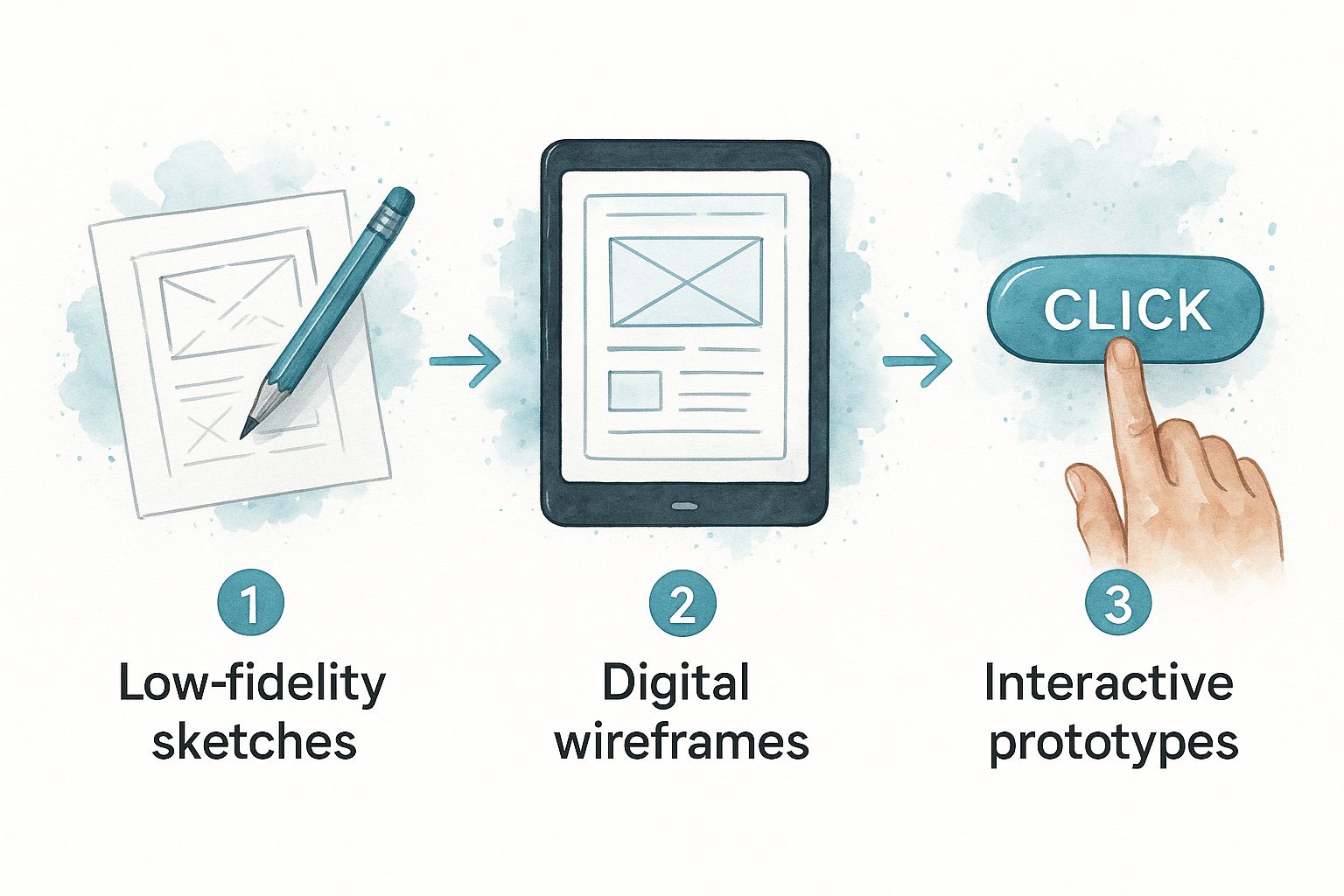
This step is crucial because it allows teams to test their core assumptions cheaply and quickly, learning and refining their solution with minimal investment.
Step 5: Test and Validate With Users
Finally, the prototype is put in front of real users. The Test phase is the moment of truth where assumptions are validated or debunked. Designers observe users as they attempt to complete tasks, noting where they succeed, where they struggle, and listening to their direct feedback.
The insights gained from user testing are pure gold. They reveal flaws the design team overlooked and provide a clear, evidence-based roadmap for improvement.
This process is a loop, not a straight line. Testing often uncovers insights that send the team back to the drawing board to refine their ideas. This iterative cycle of empathizing, defining, ideating, prototyping, and testing is the engine of effective UX design, ensuring the final product truly meets the needs of its audience.
7. Essential Tools and Skills for Modern UX Designers

To transform user needs into a real product, a designer requires a modern toolkit and a blend of technical and human-centric skills. While software proficiency is important, the most effective designers understand that tools are just a means to an end. Their true value lies in their deep understanding of human psychology and their ability to solve complex problems.
The software is the paintbrush, but the designer is the artist. They must know how to use the brush, but more importantly, they must know what to paint and why.
The Modern UX Toolkit
A UX designer’s software suite is a collection of specialized tools used at different stages of the design process. This allows them to move efficiently from abstract ideas to polished, user-validated concepts.
The tools typically fall into these key categories:
Research and Analysis: Getting inside the user’s head starts here. Platforms like Typeform or SurveyMonkey are indispensable for crafting surveys to collect quantitative feedback on a large scale.
Design and Prototyping: This is where ideas take visual form. Tools like Figma have become the industry standard, enabling everything from simple wireframes to pixel-perfect interactive prototypes that feel like the final product.
Usability Testing: How do you know if a design works? You test it with real people. Services like UserTesting.com and Maze connect designers with their target audience to identify usability issues long before development begins.
While these are central to UX, many related tools are used across the design industry. For a broader look, you can explore this curated list of the top tools for web designers.
Hard Skills Meet Soft Skills: The Designer’s DNA
A highly effective UX designer balances concrete technical abilities (hard skills) with essential interpersonal qualities (soft skills). One is incomplete without the other.
Hard skills are the tangible competencies needed to perform the job. These include information architecture (organizing content logically), wireframing, prototyping, and conducting user research. These skills turn an idea into a functional blueprint.
But it’s the soft skills that truly separate a good designer from a great one.
Empathy is the cornerstone. It’s the ability to step into a user’s shoes and genuinely understand their frustrations, needs, and goals.
Storytelling is another vital skill. A designer must craft a compelling narrative around their research findings and design choices to get stakeholders, from developers to executives, invested in the user-centric vision. Add in strong communication and collaboration, and you have the makings of a true UX leader.
Common Roles Within a UX Design Team
As the field has grown, specialized roles have emerged. While smaller teams may have a “UX generalist” who handles everything, larger organizations often build out teams of specialists.
This table breaks down some of the most common roles:
| Role | Primary Responsibility | Key Skills |
|---|---|---|
| UX Researcher | Conducts interviews, surveys, and tests to uncover user needs, behaviors, and motivations. | Empathy, data analysis, communication. |
| UI Designer | Focuses on the visual and interactive elements—buttons, icons, typography, and layout. | Visual design, prototyping, consistency. |
| UX Strategist | Aligns the user experience with business goals to create a long-term vision for the product. | Business acumen, research, leadership. |
| UX Writer | Crafts the text users interact with, from button labels to error messages, ensuring clarity. | Writing, empathy, brand voice consistency. |
| UX Architect | Structures and organizes content logically to create intuitive navigation and sitemaps. | Information architecture, logic, systems thinking. |
Understanding these roles shows that “UX design” is not a single job but a collaborative discipline that requires a diverse team of specialists to deliver outstanding results.
The Measurable Business Impact of Great UX
Investing in user experience is not just about creating a positive feeling; it is one of the most powerful strategic decisions a business can make. The results are tangible, measurable, and have a direct impact on revenue, customer loyalty, and your bottom line.
When a product is easy and enjoyable to use, people convert more often, stick around longer, and become advocates for your brand. This creates a powerful feedback loop where thoughtful design fuels sustainable business growth.
Driving Conversions and Revenue
A frictionless user experience turns curious visitors into paying customers. By removing frustrating roadblocks from the user journey, you make it easy for people to say “yes” to your product or service. This directly translates into more sales, sign-ups, and revenue.
For example, streamlined e-commerce platforms like ecommerce.co that guide users effortlessly from product discovery to checkout consistently see higher conversion rates and lower cart abandonment.
The financial case is overwhelming. A poor user experience is a direct threat to your revenue. Studies show that 88% of online consumers are less likely to return to a site after a bad experience. On the other hand, the ROI of good UX is staggering—it’s often cited that every $1 invested in UX can yield a return of $100.
Increasing Customer Loyalty and Retention
A great user experience is the bedrock of customer loyalty. When a product reliably solves a problem and feels effortless, it builds trust and satisfaction. This positive emotional connection is what transforms a one-time buyer into a lifelong fan.
Here’s how UX directly builds loyalty:
- Effortless Onboarding: A simple, guided introduction helps new users find value immediately, drastically reducing churn.
- Lower Support Costs: An intuitive design means users can solve their own problems, leading to fewer support tickets and lower operational costs.
- Stronger Brand Perception: A polished, reliable experience signals quality and care, reinforcing your brand as a trusted leader.
Focusing on these areas creates a loyal customer base that provides stable, predictable revenue. For more ways to turn visitors into repeat business, these valuable conversion rate optimization tips are a great starting point.
Ultimately, UX design isn’t an expense—it’s a critical investment in your company’s future. By putting your users first, you build products that not only win in the market but also drive sustainable growth and profitability. The evidence is clear: great design is great business.
Common Questions About User Experience Design
As UX has become a cornerstone of product development, a few key questions come up frequently. Clearing up these common points of confusion will give you a sharper understanding of the field.
What Is the Difference Between UX and UI Design?
This is the most common question in the design world. Though deeply connected, UX and UI have distinct roles. An analogy to building a house makes the difference clear.
UX (User Experience) Design is the architectural blueprint. It defines the structure: the layout of the rooms, the flow between them, and whether the space is functional for the family living inside. It’s the underlying logic and strategy that makes the house livable.
UI (User Interface) Design is the interior design. It’s the paint color, the furniture, the light fixtures, and all the other tactile and visual elements that bring the space to life. UI is what gives the house its look and feel.
In short: UX is about the overall journey and how it feels, while UI is about the specific touchpoints and visuals you interact with. A great product needs both to succeed.
Do I Need to Know How to Code to Be a UX Designer?
The short answer is no. Coding is not a core requirement for most UX design roles. A UX designer’s primary focus is on research, strategy, information architecture, and prototyping. Your main tools are for design and collaboration, not writing code.
However, having a basic understanding of HTML, CSS, and how technology works is a huge advantage. It enables you to design solutions that are technically feasible and allows for more productive conversations with developers. This shared language smooths out the entire development process, as highlighted in the U.S. government’s guide to the design process.
How Can I Start a Career in User Experience Design?
Breaking into UX is a journey of learning, practice, and networking. Here is a simple, three-step path to get started:
- Build Your Foundation: Immerse yourself in the fundamentals through online courses, bootcamps, or foundational books on design thinking and usability. Focus on understanding the core principles first.
- Create a Portfolio: Knowledge is not enough; you must demonstrate your ability to apply it. Work on personal or volunteer projects to build a portfolio. Crucially, showcase your process—include your research, sketches, wireframes, and testing insights, not just the final polished screens.
- Gain Experience and Network: Connect with the design community through online forums and local or virtual meetups. Seek out internships or junior roles to gain the real-world experience that will launch your career.
At Galant Studios, we believe a superior user experience is the foundation of business growth. Our expert team integrates proven SEO and design strategies to build websites that not only look great but also deliver measurable results. Let us help you create an online experience that captivates your audience and drives conversions.

